Ladli Behna Yojana Status 2026: check payment and list
Quick Reply: Check Ladli Behna Yojana status 2026 on cmladlibahna.mp.gov.in. Payment status by mobile number, installment schedule, district-wise list, eligibility check, bank update, RTI for delay and expanded FAQ.
To check your Ladli Behna Yojana status in 2026, open the official Madhya Pradesh portal at cmladlibahna.mp.gov.in. Use the Application Status page to see your application stage, and the Aadhaar link and DBT status page to see if your monthly payment was sent. You will need your Ladli Behna application number or Samagra ID, plus an OTP on your registered mobile.
Short on time? Go straight to the official portal at cmladlibahna.mp.gov.in and open Application Status. This article only guides you. It cannot check your status for you.
हिंदी में पढ़ें: लाड़ली बहना योजना स्टेटस 2026 (हिंदी गाइड)
On this page
~~TOC~~
Quick facts (2026)
- Scheme: Mukhyamantri Ladli Behna Yojana
- For: Eligible married women in Madhya Pradesh, aged 21 to 60
- Run by: Women and Child Development Department, Government of Madhya Pradesh
- Official portal: cmladlibahna.mp.gov.in
- You can check: application status, Aadhaar and DBT status, payment status, final list
- Helpline: 0755-2700800
E-E-A-T and editorial information
- Last reviewed: 10 July 2026
- Reviewed by: RTI Wiki editorial team (legal-tech researchers with experience in RTI Act 2005 and government scheme grievance workflows)
- Primary sources: Official Madhya Pradesh Government portals — cmladlibahna.mp.gov.in, mp.gov.in, samagra.gov.in, Application Status page, DBT Status page
- Legal references: Right to Information Act, 2005 — Sections 6(1), 7(1) and 19(1)
- Methodology: Facts verified against official scheme portals, Government of Madhya Pradesh notifications and department websites. Payment figures cross-checked with the official portal. We do not access beneficiary data — we guide citizens to official portals only.
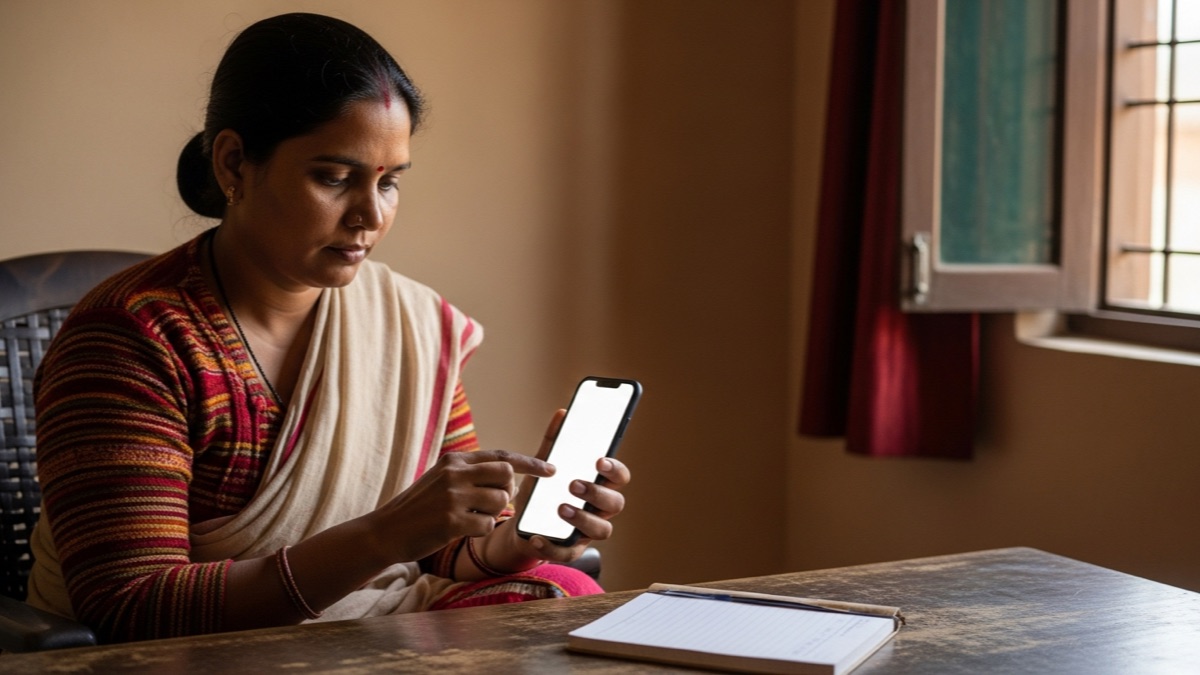
Use only the official Madhya Pradesh Ladli Behna portal to check application or payment status.
Why people check this every month
The Ladli Behna Yojana sends money to a woman's own bank account every month by Direct Benefit Transfer (DBT). The Government of Madhya Pradesh launched it in 2023 (cmladlibahna.mp.gov.in).
Because the payment is monthly, lakhs of women check their status often. Some want to know if their first application is approved. Others want to know if this month's amount reached their bank. A few find that the money stopped, and they want to know why.
The good news is simple. The official portal lets you check all of this yourself, for free. You only need a few details and your registered mobile number.
How to check Ladli Behna Yojana status 2026
This is the application status. It tells you if your form is approved, pending or rejected.
- Open the official portal. Go to cmladlibahna.mp.gov.in on any phone or computer.
- Open Application Status. On the portal, choose the “Application Status” option (in Hindi: आवेदन की स्थिति).
- Enter your number. Type your Ladli Behna application number or your Samagra member number.
- Enter the captcha and OTP. Type the captcha code shown, then the OTP sent to your registered mobile.
- Read the result. The page shows your current stage, such as approved, under process or rejected.
How to check Ladli Behna payment status 2026
This tells you if your Aadhaar is linked, if DBT is active, and if the monthly amount was sent.
- Open the official portal. Go to cmladlibahna.mp.gov.in.
- Open the Aadhaar and DBT status page. Choose the option to check Aadhaar link and DBT status (in Hindi: आधार लिंक और डीबीटी की स्थिति जाने).
- Enter your number. Type your online registration number or your Samagra member number.
- Enter the captcha and OTP. Type the captcha, then verify with the OTP on your registered mobile.
- Read the result. The page shows if your Aadhaar is linked, if DBT is enabled, and the payment status.
The amount is released monthly by single-click DBT. The exact credit date can change from month to month, so always confirm the current month on the portal. Do not trust any other date as final.
How to check the Ladli Behna beneficiary list 2026
The portal has a final list (in Hindi: अंतिम सूची). It shows the approved beneficiaries.
- Open the official portal at cmladlibahna.mp.gov.in.
- Open the Final List option (अंतिम सूची).
- Enter your registered mobile number and the captcha.
- Verify with the OTP sent to that mobile.
- View the list shown for your details.
What details you may need
Keep these ready before you start. They are based on the official status pages.
- Ladli Behna application number or Samagra member ID
- Online registration number (for the DBT status page)
- Registered mobile number (the OTP comes here)
- Captcha code shown on the screen
- OTP received on your phone
Note: the portal asks for an OTP on your own registered mobile. It never asks for your bank OTP, your bank account password or money. Never share these with anyone.
Who is eligible
In short, the scheme is for married women who live in Madhya Pradesh and meet income and asset limits. The core conditions are:
- Resident of Madhya Pradesh, married (this includes widows, divorced and abandoned women)
- Age 21 to 60 years
- Family income within the scheme limit and not an income tax payer
- Aadhaar e-KYC done, with a DBT-enabled bank account linked to Aadhaar
For the full eligibility rules, the benefit amount and how to apply, see our Ladli Behna Yojana scheme guide. The official list of conditions is on the portal. The exact monthly amount has changed over time, so confirm the current amount on the official portal before you rely on it.
Documents you may need
- Aadhaar card, with e-KYC completed
- Samagra ID
- Bank passbook of the Aadhaar-linked DBT account
- Registered mobile number
What each status may mean
Use this as a rough guide only. The portal does not always explain each label, so treat the meanings as “may mean” and confirm with the helpline if unsure.
| Status you may see | What it may mean | What you can do |
|---|---|---|
| Approved or sanctioned | Your application is accepted | Wait for the monthly DBT to your account |
| Under process or pending | Still being checked | Wait, then check again in a few days |
| Rejected or not eligible | A condition was not met | Read the reason; ask the office; consider an RTI |
| Payment success or credited | The amount was sent to your bank | Check your bank passbook or statement |
| Payment failed | The transfer did not go through | Check Aadhaar and DBT linking at your bank |
| Aadhaar not linked or DBT not enabled | Your bank account is not DBT ready | Get Aadhaar seeding and DBT done at your bank |
| Application not found | Wrong number, or not registered | Re-check your number; visit the local office |
If your payment is pending, stopped or not received
Do these steps in order.
- Check the DBT status page first. Confirm the portal says the amount was sent. If it failed, the problem is usually at the bank.
- Check your bank account is DBT-enabled. A de-linked Aadhaar is the most common reason money bounces. You can check whether your bank account is DBT-enabled and fix the seeding at your bank.
- Call the official helpline 0755-2700800. Ask for the reason and a clear next step. Note the date, time and what you were told.
- If you still get no clear answer, file an RTI. This is your legal right. See the RTI section below.
If your name is not in the list
A missing name does not always mean rejection. It can mean your application is still under process, or that your details did not match.
- Re-check your number and mobile on the status page.
- Visit your nearest enrolment centre or local office with your Aadhaar and Samagra ID.
- Ask for the written reason if your application was rejected.
- File an RTI if the office does not give a clear reason in writing.
Complaint and helpline
Use only official channels. Do not use agents, paid “status check” apps or any link that is not the official portal.
- Official portal: cmladlibahna.mp.gov.in
- Helpline: 0755-2700800
- Grievance: use the contact or grievance section shown on the official portal
For a wider view of complaint routes, see our status-check and grievance guides.
File an RTI if the portal or helpline does not help
If the portal, office or helpline does not give you a clear reason, you can use the Right to Information Act, 2005. A public department must reply to an RTI within 30 days (RTI Act 2005, Section 7(1)). The standard fee is ₹10, and BPL card holders are exempt. If you get no reply, or an unclear one, you can file a first appeal within 30 days (RTI Act 2005, Section 19(1)).
RTI often works because an officer must now put the real status in writing. You can file an RTI for a delayed government scheme benefit, or use this guide to ask for the reasons when a subsidy or DBT payment is not credited. For women's benefits that stop, our guide on an RTI when a woman's benefit is not credited follows the same pattern. To draft fast, you can build your RTI in minutes or read The RTI Playbook.
Free checklist and RTI template (copy and use)
This is your downloadable checklist for the page. Copy it, fill the blanks and use it.
LADLI BEHNA PAYMENT STATUS CHECKLIST 2026

[ ] Application number or Samagra ID ready
[ ] Registered mobile with you (for OTP)
[ ] Checked Application Status on the official portal
[ ] Checked Aadhaar link and DBT status
[ ] Checked bank passbook for the credit
[ ] If failed: Aadhaar seeding and DBT done at bank
[ ] If no answer: called helpline 0755-2700800 (noted date and reply)
[ ] If still stuck: filed an RTI

RTI TEMPLATE FOR PENDING LADLI BEHNA PAYMENT

To: Public Information Officer,
Women and Child Development Department, [your district], Madhya Pradesh

Under the RTI Act 2005, please provide:
1. Present status of my Ladli Behna application no. ______ dated ______.
2. Name and designation of the officer handling my file.
3. Reasons for any delay or for stopping my monthly payment.
4. Copy of file notings or movement on my case in the last 60 days.
5. Likely date by which my payment or decision will be made.

Applicant name: ______   Address: ______   Date: ______
(Fee ₹10. BPL card holders are exempt.)
How to check Ladli Behna status by mobile number
Many beneficiaries want to check their Ladli Behna status using only their registered mobile number. While the official portal does not have a single “mobile number search” button, your registered mobile is the key that unlocks every status page. Here is how to use it effectively:
- On the Application Status page: Enter your application number or Samagra member ID. The OTP to proceed comes to your registered mobile. If you do not know your application number, the portal can help you find it using your mobile number and Samagra ID at the Samagra portal.
- On the DBT status page: Enter your online registration number and complete the OTP verification on your registered mobile.
- On the Final List page: Enter your registered mobile number directly, along with the captcha. The OTP comes to that number, and the list for your details is shown.
- If your mobile number has changed: You must visit your nearest Ladli Behna enrolment centre or Common Service Centre (CSC) with your Aadhaar card and Samagra ID. Ask them to update your registered mobile number. Until it is updated, you cannot receive OTPs and therefore cannot check your status online.
Tip. If you cannot receive OTP on your registered mobile, no one else can check your status for you online. This is by design — it protects your account. Visit your CSC with documents to update your mobile first.
Ladli Behna payment schedule and installment dates 2026
The Government of Madhya Pradesh releases Ladli Behna installments monthly through single-click DBT. While there is no fixed calendar date published in advance, the pattern observed in 2024-2026 has been:
| Approximate period | What to expect |
|---|---|
| Early in the month (1st-10th) | The government announces the installment release date via press note or portal update |
| Mid-month (10th-20th) | DBT transfers are typically processed in batches |
| By month-end | Most eligible beneficiaries with linked Aadhaar and active DBT receive the credit |
| If delayed beyond the month | Check the DBT status page — the transfer may have failed due to bank or Aadhaar issues |
How to confirm the exact date for the current month:
- Watch the official portal cmladlibahna.mp.gov.in for announcements.
- Check the Government of Madhya Pradesh website for press releases.
- Call the helpline 0755-2700800 and ask for the current month's expected transfer date.
Important. Do not trust WhatsApp forwards or social media posts about payment dates. Only the official portal and helpline give confirmed dates. Fake messages about “Ladli Behna ₹2,500 from next month” circulate regularly — verify every claim on cmladlibahna.mp.gov.in.
Ladli Behna eligibility check online
Before checking payment status, confirm you still meet the eligibility conditions. The government periodically reviews beneficiary data, and names can be removed if conditions change.
- Residency: You must be a resident of Madhya Pradesh. Your Samagra ID and ration card should reflect an MP address.
- Age: 21 to 60 years. If you have crossed 60, the payment stops. Check your recorded date of birth on the Samagra portal.
- Marital status: Married, widowed, divorced or abandoned. Unmarried women are not eligible for Ladli Behna (they may be eligible for other schemes — see our schemes for women page).
- Income: Family annual income must be within the scheme limit. Income tax payers are excluded.
- Aadhaar and DBT: Aadhaar e-KYC must be complete and your bank account must be Aadhaar-seeded and DBT-enabled.
How to verify your eligibility online:
- Log in to the Samagra portal with your Samagra ID and family member details. Check your recorded age, marital status and address.
- Visit cmladlibahna.mp.gov.in and open Application Status. If the portal shows your application as “eligible” or “approved,” your eligibility is confirmed.
- If it shows “ineligible” or “rejected,” read the recorded reason. If you believe it is wrong, visit your local office with supporting documents or file an RTI.
Ladli Behna installment not received: step-by-step troubleshooting
If the portal says your installment was sent but your bank account shows no credit, follow this step-by-step process:
- Step 1 — Confirm the DBT status. Open the DBT status page. If it shows “payment success” or “credited,” the money left the government and the problem is at your bank. If it shows “failed,” the problem is usually Aadhaar seeding.
- Step 2 — Check Aadhaar-bank seeding. Visit your bank branch or use the Aadhaar bank seeding check guide. If your Aadhaar is not linked to your bank account, the DBT bounces. Get it seeded at your bank.
- Step 3 — Check if your account is active. A dormant, frozen, or closed bank account will reject incoming DBT. Confirm with your bank that the account is active and can receive direct deposits.
- Step 4 — Check for duplicate accounts. If you have multiple accounts linked to Aadhaar, the payment may have gone to the wrong one. Dial \*99\*1# from your registered mobile or check your bank passbook to confirm which account receives DBT.
- Step 5 — Wait 3-5 working days. After the portal shows “success,” banks can take a few working days to reflect the credit in your passbook.
- Step 6 — Call the helpline. If nothing works after 5 days, call 0755-2700800. Give your application number and ask for the exact failure reason.
- Step 7 — File an RTI. If the helpline does not resolve it, file an RTI asking for the payment status, failure reason and file notings. See the RTI section and template above.
Most common fix. Over 80% of “payment not received” cases are solved by fixing Aadhaar seeding at the bank. This is step 2 — do it first if your DBT status shows “failed.”
Ladli Behna beneficiary list by district (Madhya Pradesh)
The Ladli Behna Yojana covers all districts of Madhya Pradesh. Below is a guide to the top districts by estimated beneficiary coverage. These are approximate figures based on publicly available data — always confirm exact numbers on the official portal.
| District | Approx. beneficiaries | How to check locally |
|---|---|---|
| Indore | 5.5+ lakh women | Visit the district WCD office or check on the portal with your Samagra ID |
| Bhopal | 4.2+ lakh women | Check at the district project office or any CSC |
| Jabalpur | 3.8+ lakh women | Contact the Jabalpur district WCD office |
| Gwalior | 3.5+ lakh women | Visit the Gwalior Zila Panchayat Ladli Behna helpdesk |
| Ujjain | 3.0+ lakh women | Check at Ujjain district CSC centres |
| Sagar | 2.8+ lakh women | Contact Sagar district WCD office |
| Rewa | 2.6+ lakh women | Visit Rewa district project office |
| Satna | 2.4+ lakh women | Check at the Satna district enrolment centre |
| Dhar | 2.2+ lakh women | Visit Dhar Zila Panchayat office |
| Ratlam | 2.0+ lakh women | Contact Ratlam district WCD office |
How to find your district's Ladli Behna office:
- Search online for “Ladli Behna office [your district] Madhya Pradesh” or visit the Government of Madhya Pradesh website.
- Visit any Common Service Centre (CSC) — they can help you check your status and update your details.
- Contact the Women and Child Development Department office in your district. They handle Ladli Behna grievances directly.
Note. The figures above are estimates to give you a sense of scale. Exact beneficiary counts change monthly as new women are enrolled and some are removed during verification. For your own status, always use the official portal.
How to update or change bank account for Ladli Behna
If you have changed your bank account, or if your old account is closed or frozen, you must update your bank details in the Ladli Behna system. Otherwise, your monthly payment will fail. Here is how:
- Step 1 — Open the official portal at cmladlibahna.mp.gov.in.
- Step 2 — Look for the bank update or correction option. The portal may have an option to update your bank account details online. If available, enter your new bank account number, IFSC code and branch details.
- Step 3 — If the online option is not available, visit your nearest Ladli Behna enrolment centre, CSC or district WCD office. Carry these documents:
- Original Aadhaar card
- New bank passbook (first page showing account number, name and IFSC)
- Samagra ID
- Registered mobile number
- Step 4 — Complete Aadhaar seeding on the new account. This is critical. Without Aadhaar seeding, DBT will not work even after the account number is updated. Visit your new bank branch and ask for “Aadhaar seeding” or “DBT activation.” You can also check seeding status with our DBT seeding guide.
- Step 5 — Verify the update. Wait 7-10 working days, then check the DBT status page on the portal. If it shows your new account and “DBT enabled,” the update is done.
Warning. Never give your bank passbook or Aadhaar to an agent or middleman to “update” your details. Do it yourself at the official centre or online portal. There is no fee for updating bank details.
How to file RTI for Ladli Behna payment delay
If your Ladli Behna payment is stuck, rejected, or the office gives no clear answer, filing an RTI is your strongest legal tool. Under Section 6(1) of the RTI Act 2005, any citizen can ask for information from a public authority — and the Women and Child Development Department is a public authority.
Where to file:
- Public Information Officer (PIO): Women and Child Development Department, Government of Madhya Pradesh, or the PIO at your district WCD office.
- Online: You can file RTI online through the Central RTI portal if your department is listed, or through the MP online RTI portal linked from mp.gov.in.
- Offline: Submit a written application (use the template above) with a ₹10 court fee stamp or Indian Postal Order. BPL card holders are exempt from the fee.
What to ask (sample questions):
- What is the present status of my Ladli Behna application no. [] dated []?
- What is the reason for stopping or delaying my monthly installment?
- Name and designation of the officer handling my file.
- What action has been taken on my application in the last 60 days?
- By what date will my pending payment be released?
Timeline and escalation:
- The PIO must reply within 30 days (Section 7(1)).
- If no reply or an unsatisfactory reply, file a first appeal within 30 days (Section 19(1)).
- If the first appeal also fails, file a second appeal before the State Information Commission.
For a detailed walk-through, see our guides on filing an RTI for scheme delays and RTI for subsidy and DBT issues. You can also use our RTI Playbook for step-by-step drafting.
Ladli Behna vs other women welfare schemes in India
Ladli Behna is one of several state-level monthly cash transfer schemes for women. If you have moved states or want to compare, here is a quick overview:
| Scheme | State | Monthly amount | Key difference |
|---|---|---|---|
| Ladli Behna Yojana | Madhya Pradesh | ₹1,000-₹1,250 (varies by installment) | For married women 21-60; Samagra ID required |
| Ladki Bahin Yojana | Maharashtra | ₹1,500 (₹2,100 promised but not notified) | For women 21-65; mandatory e-KYC drive in 2025-26 |
| Maiya Samman Yojana | Jharkhand | ₹1,000-₹2,500 | For women 21-50; recent restructuring |
| Mahtari Vandan Yojana | Chhattisgarh | ₹1,000 | For married women 21-60 |
| Subhadra Yojana | Odisha | ₹10,000/year (₹5,000 x 2) | Age 21-60; DBT in two installments |
| Kalaignar Magalir Urimai Thittam | Tamil Nadu | ₹1,000 | For women heads of family |
| Gruha Lakshmi | Karnataka | ₹2,000 | For women heads of family |
Important note if you have moved states: You can only be a beneficiary of one state's scheme at a time. If you moved from MP to Maharashtra, you must inform the MP WCD department and apply afresh in Maharashtra. Holding benefits in two states simultaneously is not allowed and may lead to recovery action.
You can check the status of these sister schemes on our check-status hub: Ladki Bahin, Maiya Samman, Mahtari Vandan, Subhadra Yojana, Kalaignar Magalir. See also Ladki Bahin Yojana scheme guide and our guide to government schemes in India 2026.
Frequently asked questions
How do I check Ladli Behna Yojana status in 2026?
Open the official portal at cmladlibahna.mp.gov.in. Use the Application Status page for your form, and the Aadhaar link and DBT status page for your payment. You will need your application number or Samagra ID and an OTP on your registered mobile.
How do I check Ladli Behna payment status by Samagra ID?
On the portal, open the Aadhaar link and DBT status page. Enter your online registration number or Samagra member number, then the captcha and the OTP on your registered mobile. The page shows your Aadhaar, DBT and payment status.
Why has my Ladli Behna payment stopped?
Common reasons are a de-linked Aadhaar, a bank account that is not DBT ready, or a change in eligibility. Check the DBT status page first. If the portal says the amount was sent, check your bank. If not, fix Aadhaar seeding at your bank, then call the helpline.
How can I see the Ladli Behna beneficiary list?
Open the Final List option on the official portal. Enter your registered mobile number, the captcha and the OTP. The portal then shows the list for your details. Always use the official portal, not other websites.
What is the Ladli Behna helpline number?
The official helpline shown for the scheme is 0755-2700800. Use only this number and the official portal. Do not share your bank OTP, account number or any password with callers or agents.
What can I ask for through RTI if my payment is pending?
You can ask for the present status of your application, the reason for delay or stopping, the officer handling your file, recent file notings and the likely date of payment. A reply is due within 30 days under the RTI Act 2005.
Can I check Ladli Behna status using only my mobile number?
The official portal requires either your application number or Samagra ID, plus an OTP sent to your registered mobile. You cannot search by mobile number alone on the Application Status page, but the Final List page does accept your registered mobile number directly. If you have lost your application number, recover it through the Samagra portal using your family ID and mobile number.
How long does it take for Ladli Behna money to reach my bank after the portal shows "paid"?
Typically 1-5 working days. Banks sometimes take longer, especially if the account is in a rural branch. If more than 7 working days pass with no credit, check your Aadhaar seeding at the bank and call the helpline 0755-2700800.
What should I do if my registered mobile number is lost or changed?
Visit your nearest Ladli Behna enrolment centre or CSC with your Aadhaar card and Samagra ID. Ask them to update your registered mobile number. You cannot check status or receive OTPs until it is updated. There is no fee for this.
Is Ladli Behna money taxable?
No. The monthly installment is a welfare benefit and is not treated as taxable income. It does not need to be declared in your income tax return. However, if you are an income tax payer, you are not eligible for the scheme in the first place.
Can I receive Ladli Behna payment if I have moved to another state?
No. Ladli Behna is for residents of Madhya Pradesh only. If you have permanently moved to another state, inform your district WCD office. You may be eligible for that state's women welfare scheme instead.
How do I know if my Aadhaar is linked to my bank account for DBT?
Dial *\*99*1#* from your registered mobile, or check your bank passbook for an “Aadhaar linked” stamp. You can also visit your bank branch. For a detailed guide, see our page on checking Aadhaar-bank seeding status.
What is the difference between Ladli Behna (MP) and Ladki Bahin (Maharashtra)?
Ladli Behna is the Madhya Pradesh scheme paying eligible married women aged 21-60. Ladki Bahin is the Maharashtra equivalent paying women aged 21-65. The eligibility rules, amount and portal are different. See our comparison table above and our Ladki Bahin Yojana status page for Maharashtra-specific details.
Are there any fake Ladli Behna messages or scams I should watch out for?
Yes. Fake messages claiming “₹2,500 from next month” or “click this link to activate your payment” circulate on WhatsApp. The official portal never sends such messages. Always verify on cmladlibahna.mp.gov.in. Never pay anyone to “check” or “activate” your status. Read more about fake government scheme scams.
Official sources
- Official portal: Mukhyamantri Ladli Behna Yojana, Government of Madhya Pradesh
- Application status page: Ladli Behna Application Status
- Aadhaar link and DBT status page: Ladli Behna DBT Status
- Government of Madhya Pradesh: mp.gov.in
- Samagra portal: samagra.gov.in
- Run by: Women and Child Development Department, Madhya Pradesh
- Helpline: 0755-2700800
Next steps and related guides
Bottom line: Check your status only on the official portal at cmladlibahna.mp.gov.in. If your payment is stopped or unclear, fix Aadhaar and DBT at your bank, call 0755-2700800, and file an RTI if you get no clear answer.
Last reviewed: 10 July 2026. This page guides you. It does not check your status. Always use the official Madhya Pradesh portal for actual status, payment or list checks.