Table of Contents
Last reviewed: 22 August 2026. Portals checked against pmayg.dord.gov.in and PMAY-U 2.0 MIS.
PMAY Beneficiary List 2026 — village and ward check
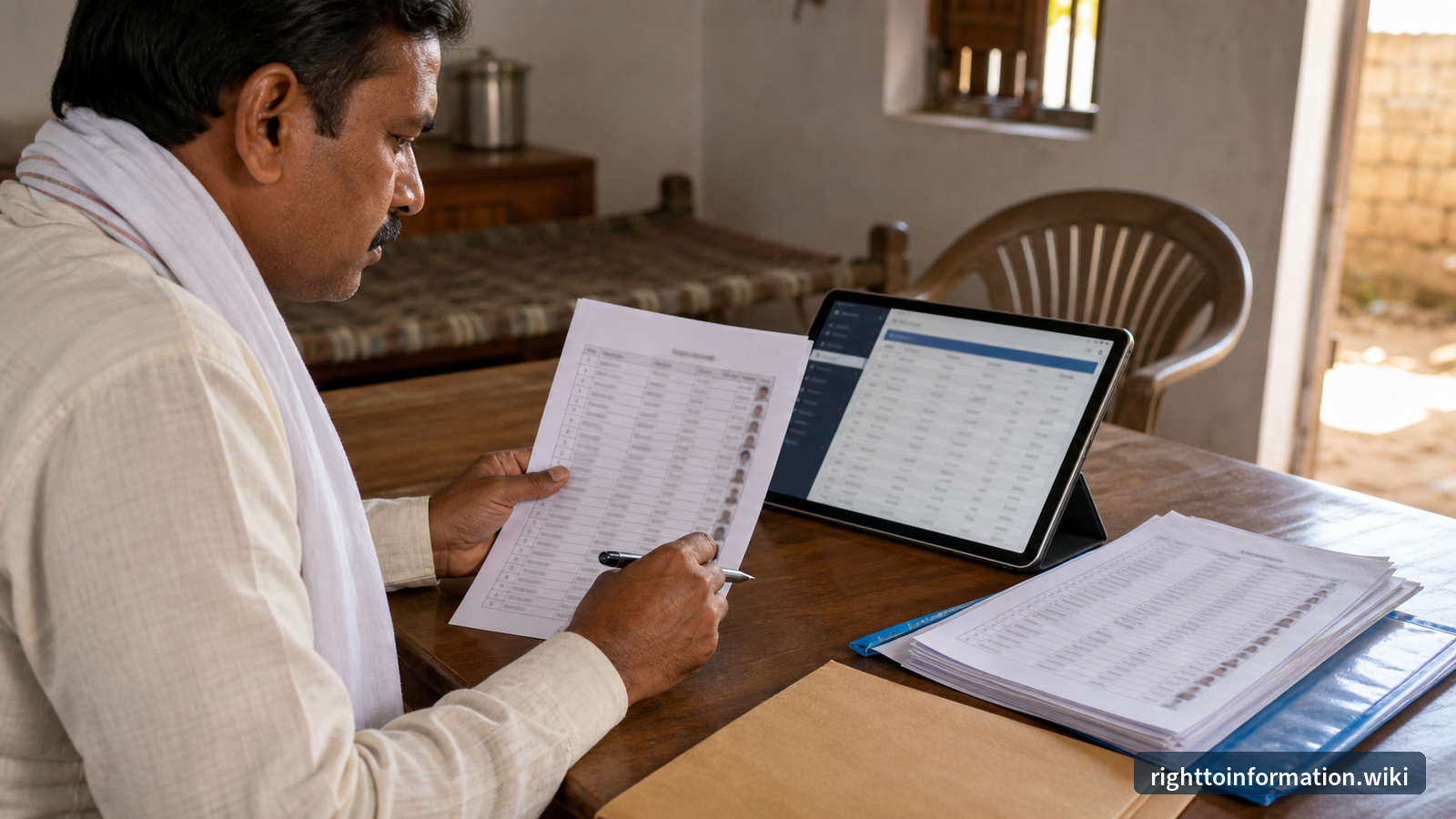
Quick answer: For rural PMAY-G, open pmayg.dord.gov.in, then Awaassoft > Report > Social Audit Reports > Beneficiary details for verification. Pick State, then District, Block, Gram Panchayat and year. For urban PMAY-U 2.0, track your application on pmaymis.gov.in. The list is public under RTI Act 2005 §4(1)(b).
If you only have 2 minutes: open the rural report path above and download the panchayat Excel. If your name is missing, check the Awaas+ 2024 wait list, then file RTI to the BDO (rural) or Municipal Commissioner (urban). Use the AI RTI Drafter or read The RTI Playbook.
Quick Answer
- PMAY-G list (rural): pmayg.dord.gov.in → Awaassoft menu → Report → under Social Audit Reports open “Beneficiary details for verification” → pick State → District → Block → Gram Panchayat → year. Excel download available.
- Your own PMAY-G record: same portal → Stakeholders → IAY/PMAYG Beneficiary → enter your registration number.
- PMAY-U 2.0 (urban): apply and track at pmaymis.gov.in — PMAY-U 2.0 portal. Old-scheme (2015-22) beneficiaries: pmaymis.gov.in → Search Beneficiary.
- Open data: data.gov.in hosts state-wise and district-wise PMAY sanction and completion datasets for researchers.
- The list is public information under §4(1)(b) RTI Act 2005 — subsidy lists cannot be refused on privacy grounds.
- Name missing? First check the Awaas+ 2024 survey status, then file RTI to the BDO (rural) or Municipal Commissioner (urban) asking for grounds of exclusion and the permanent wait list.
- Need help filing RTI? Use our AI RTI Drafter or read the master RTI guide for PMAY.
What changed in 2024-25 (read this before older guides)
Both halves of PMAY were relaunched, so many older articles point to dead portals and closed subsidy windows:
- PMAY-G was extended for FY 2024-25 to 2028-29 by the Union Cabinet, with 2 crore more rural houses and the same unit assistance: ₹1.20 lakh in plain areas and ₹1.30 lakh in north-eastern and hilly states.
- New rural beneficiaries are being identified through the Awaas+ 2024 survey (modified exclusion criteria), collected through the AwaasPlus 2024 mobile app launched on 17 September 2024. Details: AwaasPlus 2024 survey information.
- The PMAY-G portal now lives at pmayg.dord.gov.in (Department of Rural Development). Old bookmarks to the previous nic.in address should be updated. See our dedicated guide: pmayg.nic.in beneficiary list 2026.
- PMAY-U 2.0 (2024 onwards) replaced the 2015-22 urban scheme. Its four verticals are BLC (Beneficiary Led Construction), AHP (Affordable Housing in Partnership), ARH (Affordable Rental Housing) and ISS (Interest Subsidy Scheme).
- Under ISS, eligible EWS (annual income up to ₹3 lakh), LIG (up to ₹6 lakh) and MIG (up to ₹9 lakh) families get a 4 percent interest subsidy on the first ₹8 lakh of the home loan, capped at ₹1.80 lakh, paid in five yearly instalments — for loans sanctioned on or after 1 September 2024.
- The old CLSS is closed; do not apply for CLSS anywhere. In AHP and BLC verticals the central assistance is ₹2.50 lakh per unit. Full details: PMAY-U 2.0 status 2026 and how to apply for PMAY-U/G 2026.
Sources: Cabinet approval, PMAY-G 2024-29 and PIB — Cabinet approves PMAY-U 2.0.
Why this list matters
The PMAY beneficiary list shows:
- Who got a PMAY house (name, father/husband name)
- When they were sanctioned (sanction date, instalment dates)
- How much they got (assistance amount, instalment-wise)
- Construction status (foundation, lintel, roof, completion)
- Geo-tag verification status (with photos in many cases)
This data exposes:
- Fake beneficiaries (houses going to non-eligible but connected families)
- Dead beneficiaries still shown as drawing instalments
- Beneficiary list manipulation at panchayat level
- Ghost houses (sanctioned but never built)
- Wrong income-band classification in urban lists
How to view the PMAY-G beneficiary list (rural)
- Open pmayg.dord.gov.in.
- In the top menu, hover on Awaassoft and click Report. This opens the rural housing reports site (rhreporting.nic.in).
- Under Social Audit Reports, click “Beneficiary details for verification”.
- Select State → District → Block → Gram Panchayat, the scheme (PMAY-G) and the financial year.
- The village/panchayat beneficiary table appears: name, father/husband name, house status and sanction details.
- Use the download option on the report page to save it (Excel format is offered on most reports).
Tip: gov.in report servers are sometimes slow or briefly down. Try early morning, and retry after a few minutes before assuming the data is gone. For a complete walkthrough with screenshots, see IAY/PMAYG beneficiary status — step by step and Awaassoft beneficiary list 2026.
Check one person by registration number
- On pmayg.dord.gov.in, open Stakeholders → IAY/PMAYG Beneficiary.
- Enter the registration number to see that household's sanction, instalment and construction status.
- No registration number? Use the advanced search on the same page with state and district filters.
- Full walkthrough with screenshots: IAY/PMAYG beneficiary status — step by step. Aadhaar lookup: see check PMAY status with Aadhaar below.
Check PMAY status with Aadhaar
Rural and urban PMAY do not share one Aadhaar box. As live-checked on 20 August 2026:
- PMAY-G (rural): pmayg.dord.gov.in → Stakeholders → IAY/PMAYG Beneficiary. Open Advanced Search. If an Aadhaar field is shown, type the 12 digits with no space. If the form only accepts a registration number, use the sanction letter, then the village report on report.pmayg.dord.gov.in.
- PMAY-U 2.0: track on pmaymis.gov.in. Older 2015-22 urban names: pmaymis.gov.in → Search Beneficiary.
- Zero hits is not always a rejection — the row may sit under a registration number, a joint Aadhaar, or the other scheme. Then download the panchayat list above, or file RTI to the BDO / Municipal Commissioner.
Anyone asking for an “Aadhaar activation fee” is not the portal.
Deeper reports on the same portal
The PMAY-G portal's most-used reports also include:
- Panchayat-wise permanent wait lists — who is queued for sanction in your panchayat
- Instalment (FTO) tracking — payment-wise fund transfer orders
- SECC family member details — the 2011 socio-economic census base data
- Physical progress / house status reports — sanctioned vs completed
How to view the PMAY-U 2.0 beneficiary position (urban)
Urban works differently from rural. There is no single public village-style list; you track applications and sanctions through the MIS:
- Open the PMAY-U 2.0 portal (linked from pmay-urban.gov.in).
- New applicants: click Apply for PMAY-U 2.0, complete the eligibility check and survey, and note your application number.
- Existing applicants: use the applicant login to see your application and sanction status.
- The portal also has an ISS subsidy calculator and a WhatsApp helpdesk (number shown on the portal itself).
- Old scheme (2015-22) beneficiaries: on pmaymis.gov.in use Search Beneficiary (by Aadhaar) and Beneficiary wise funds released to see what was sanctioned and paid.
City-level (ULB) sanction lists are published by many municipal bodies on their own websites and notice boards — check your Municipal Corporation or Nagar Palika site, and ask for the ward-wise list under RTI if it is not online. If your PMAY-U 2.0 application was rejected or your name is not in the list, see PMAY-U 2.0 name not in list — rejection complaint and RTI.
Open data — for researchers and journalists
data.gov.in hosts machine-readable PMAY datasets, including state/UT-wise and district-wise counts of houses sanctioned, grounded and completed under PMAY-U. The ministry dashboards on pmay-urban.gov.in and pmayg.dord.gov.in carry the same progress numbers interactively. For journalists tracking ghost beneficiaries, start with the portal reports, then use RTI for the records behind them. The PMAY-G dashboard also provides a state-wise progress overview.
How to check PMAY beneficiary list village-wise
The most common question citizens ask is: “How do I find the PMAY list for just my village?” Here is the precise path:
- Go to pmayg.dord.gov.in.
- Click Awaassoft → Report (this redirects to rhreporting.nic.in).
- Under the Social Audit Reports section, click “Beneficiary details for verification”.
- Drill down: State → District → Block → Gram Panchayat → Village (where the village filter appears).
- Select the financial year (e.g., 2024-25 or 2025-26).
- The report shows: beneficiary name, father/husband name, category, sanction date, house status (foundation/lintel/roof/complete), geo-tag status, and assistance amount.
- Click the Download or Export to Excel button at the top of the report.
For ward-wise urban lists: there is no single national portal for ward-wise PMAY-U lists. Check your city's Municipal Corporation website for published beneficiary lists, or file RTI to the Municipal Commissioner for the ward-wise sanction list under §4(1)(b).
Pro tip for village-level searches: If your village does not appear in the dropdown, check whether the Gram Panchayat name is spelled differently in the portal versus local usage. Many panchayats are listed by their official revenue name, not the colloquial name. If still not found, the panchayat may not yet have a sanction target for that year — check the permanent wait list report instead.
PMAY-G vs PMAY-U 2.0: which list to check
Many citizens are confused about which PMAY scheme they fall under. Here is how to decide:
| Feature | PMAY-G (Gramin / Rural) | PMAY-U 2.0 (Urban) |
|---|---|---|
| Target population | Rural households without pucca house | Urban EWS/LIG/MIG families |
| Administering ministry | Ministry of Rural Development | Ministry of Housing and Urban Affairs |
| Portal | pmayg.dord.gov.in | pmaymis.gov.in (PMAY-U 2.0) |
| Beneficiary identification | SECC 2011 + Awaas+ 2024 survey | Self-application on portal |
| Public village/ward list? | Yes — village/panchayat-wise on Awaassoft | Limited — ULB-level lists, RTI for ward-wise |
| Unit assistance | ₹1.20 lakh (plain) / ₹1.30 lakh (NE & hilly) | ₹2.50 lakh (AHP/BLC) + ISS subsidy up to ₹1.80 lakh |
| Payment mode | DBT to beneficiary account (construction-linked) | Through state/ULB or bank (loan subsidy route) |
| RTI filing target | BDO / Block Development Officer | Municipal Commissioner / ULB |
Rule of thumb: if you live in a village or rural panchayat area, you are under PMAY-G. If you live in a city, town, or urban municipal area, you are under PMAY-U 2.0. Some peri-urban areas may fall under either — check with your local revenue office to confirm. For the complete picture, read PMAY 2026 complete guide.
How to download PMAY beneficiary list Excel
Downloading the full beneficiary list for your village, panchayat, or block is straightforward on PMAY-G:
- Navigate to the beneficiary report as described above (Awaassoft → Report → Social Audit Reports → Beneficiary details for verification).
- Select your filters (State → District → Block → Gram Panchayat → Year).
- On the report page, look for the “Export to Excel” or download icon (usually at the top-right of the data table).
- Click it to download an .xlsx file with all beneficiary details for that panchayat/year.
- For block-wise or district-wise downloads, change the filter level — select the entire block or district instead of a single panchayat.
For bulk downloads and research datasets: the Open Government Data portal (data.gov.in) hosts state-wise and district-wise PMAY-G and PMAY-U datasets in CSV/Excel format. Search for “PMAY” or “Pradhan Mantri Awaas Yojana” on the portal. The PMAY-G dashboard also provides downloadable state summary data.
For PMAY-U 2.0: there is no bulk Excel download on the public portal. To get a ward-wise or city-wise list in Excel format, file RTI to the Municipal Commissioner asking for the complete sanction list with names, sanction dates, and amounts in electronic format. Use the AI RTI Drafter to generate the application.
Official PMAY-G progress (as on 19 August 2026)
The live counters on pmayg.dord.gov.in (Ministry of Rural Development) showed, as on 19 August 2026:
| Counter | Cumulative (Phase I + II) |
|---|---|
| MoRD target | 4,09,23,054 |
| Registered | 3,98,46,124 |
| Sanctioned | 3,91,53,372 |
| Completed | 3,14,13,299 |
| Fund transferred | ₹4,18,514.69 crore |
These numbers change daily. Always read the date on the portal, not a screenshot from a private website. State-wise drill-down is on the same homepage and on report.pmayg.dord.gov.in.
Direct official services (also listed on the PMAY-G homepage):
A MoRD letter dated 10 July 2026 extended the timeline for Awaas+ 2024 household-survey activities for all States and UTs. If your house was missed, ask the Gram Panchayat or BDO whether the survey window is still open in your block.
For the PMAY-U 2.0 (urban) state-wise data, the PMAY-U portal dashboard shows state/UT-wise progress under each vertical (BLC, AHP, ARH, ISS). You can filter by state and city to see sanctioned, grounded, and completed houses.
How to verify PMAY geo-tagged construction photos
Every PMAY-G house is supposed to have geo-tagged photographs at each construction stage (foundation, lintel, roof, completion). These photos are critical evidence — they prove the house was actually built at the claimed location. Here is how to verify them:
- On the PMAY-G beneficiary report (Awaassoft → Report → Beneficiary details for verification), look for the geo-tag status column.
- If geo-tagging is complete, you will see a photo icon or link next to the beneficiary's name. Click it to view the stage-wise photos with GPS coordinates embedded.
- Check the GPS coordinates on Google Maps to confirm the photo was taken at a location matching the beneficiary's address in the panchayat — not at a different village or a vacant plot.
- Compare photos across stages — the foundation photo should show the same plot/structure as the completion photo, just progressively built up.
- If the photos show an empty plot, a different building, or seem recycled from another beneficiary's file, that is a major red flag for a ghost house.
If geo-tag photos are missing or appear fabricated: file RTI to the BDO asking for:
- Why geo-tagged photos are not available for a specific sanctioned house
- The inspection/verification report for that house
- The date and details of the geo-tagging exercise for the panchayat
Geo-tagging data is also available through the PMAY-G portal stakeholder reports and the PMAY-G dashboard. The Ministry of Rural Development uses geo-tagging through the Bhuvan (ISRO) portal for verification — see Bhuvan PMAY-G geo-tagging page.
What is the Awaas+ 2024 survey and how does it affect the list
The Awaas+ 2024 survey is the fresh identification exercise launched on 17 September 2024 to find new eligible rural households for PMAY-G houses under the 2024-29 phase. It replaces the earlier Awaas+ survey (based on SECC 2011 data). Here is what you need to know:
- What changed: The exclusion criteria were modified. Households that were excluded under the old criteria (e.g., having a motorized vehicle, specific income thresholds) may now be eligible under the revised 2024 criteria.
- How it was conducted: Surveyors used the AwaasPlus 2024 mobile app to collect household data door-to-door. If your household was not surveyed, you may need to approach the Gram Panchayat or Block office.
- Impact on the beneficiary list: Only households identified through the Awaas+ 2024 survey (plus those already on the permanent wait list from earlier rounds) can be sanctioned PMAY-G houses in the 2024-29 phase. If you are not in the Awaas+ 2024 list, you are not in the sanction pipeline.
- How to check: Ask your Gram Panchayat sachiv or visit the Block office to confirm whether your household was captured. You can also check the permanent wait list report on pmayg.dord.gov.in.
- Official details: See the AwaasPlus 2024 survey information page and the Cabinet approval for PMAY-G 2024-29. You can also read about how to apply for Awaas+ 2026 on RTI Wiki.
If your household was missed in the Awaas+ 2024 survey: file a written request to the BDO or Gram Panchayat asking how your household can be included in the next survey round. If no response, file RTI asking for the survey methodology, the list of households surveyed in your panchayat, and the grounds on which your household was excluded.
PMAY-G vs PMAY-U 2.0: state-wise RTI filing
When filing RTI for PMAY-related information, the correct PIO depends on whether you are in a rural or urban area:
- PMAY-G (rural): File RTI to the BDO (Block Development Officer) or the District Rural Development Agency (DRDA). For escalation, the District Magistrate / Collector.
- PMAY-U 2.0 (urban): File RTI to the Municipal Commissioner or the Urban Local Body (ULB). For escalation, the state Directorate of Urban Development.
- State RTI fees vary — see our complete state-wise RTI fees guide.
State-specific RTI filing guides for PMAY:
For PMAY-specific RTI drafting, use the master RTI guide for PMAY or the RTI for stuck PMAY application guide.
If your name is missing from the list
Step 1 — Confirm Awaas+ 2024 / SECC inclusion (rural)
For PMAY-G, eligibility flows from the SECC 2011 deprivation data plus the Awaas+ survey, refreshed through the Awaas+ 2024 survey. Ask your Gram Panchayat sachiv or Block office whether your household was captured in the Awaas+ 2024 survey, and check the panchayat-wise permanent wait list report on the portal. If the survey missed you, ask in writing how your household can still be surveyed or added.
For PMAY-U 2.0, check your income band (EWS up to ₹3 lakh, LIG up to ₹6 lakh, MIG up to ₹9 lakh a year) and submit a fresh application on the PMAY-U 2.0 portal if you never applied.
Step 2 — Check the permanent wait list
Rural sanctioning follows the permanent wait list — being eligible does not mean a house is sanctioned this year. On the PMAY-G reports site, open the permanent wait list report for your panchayat and find your rank. If you are on the list, the question is when your turn comes under the annual target; if you are not, move to Step 3.
Step 3 — File RTI for grounds of exclusion
Under §6 RTI Act 2005, file an RTI to the BDO (rural) or the Municipal Commissioner's office (urban) asking:
- Why is my name not in the PMAY beneficiary list of my panchayat/ward?
- What is the SECC 2011 / Awaas+ (including Awaas+ 2024 survey) status of my household?
- What is my household's position on the permanent wait list, and how was the ranking decided?
- On what date was the beneficiary list for my panchayat/ward last updated?
- Provide the complete beneficiary list of my panchayat/ward with sanction dates and assistance amounts (this is proactive-disclosure material under §4(1)(b)).
→ Free AI RTI Drafter — generates this RTI in 60 seconds, pre-filled with your details. Prefer speaking? Use AwaazRTI and dictate it. Also see the master RTI guide for PMAY and RTI for stuck PMAY application.
Step 4 — If RTI exposes manipulation
If the list shows fake, dead or non-eligible beneficiaries:
- File a written complaint with the District Magistrate / Collector.
- Escalate to the state vigilance / anti-corruption bureau and, where your state has one, the Lokayukta.
- For central-government employees' misconduct, a whistleblower complaint can go to the Central Vigilance Commission under the PIDPI Resolution, 2004 (the CVC is the designated agency for such disclosures; note that the Whistle Blowers Protection Act, 2014 has still not been brought into force).
- Keep copies of the RTI reply — it is your documentary evidence.
Spotting fake beneficiaries — 7 red flags
While reading a PMAY list, these patterns suggest fraud:
- Same address, multiple beneficiaries — extended families splitting on paper to claim multiple houses.
- Names of dead persons — beneficiary deceased before sanction; someone else collecting instalments.
- House sanctioned but no construction photo in the portal even long after sanction — possible ghost house.
- Same official signing every verification in one panchayat — collusion risk worth probing.
- Sanction shown before the household ever appeared in SECC/Awaas+ data — impossible timeline.
- Completed status without completion photos — status pushed on paper to meet targets.
- Beneficiary owns a visible pucca house already — ask under RTI for the eligibility verification report.
Real story from a citizen
What we hear from RTI Wiki users: in one Bihar panchayat, a resident downloaded the full panchayat beneficiary report and compared it with the ground reality, house by house. Several sanctioned names had no construction photos in the portal long after sanction, a few matched persons who had died, and multiple entries shared one address. He filed an RTI (fee: ₹10) for the beneficiary list, verification reports and instalment records, then sent the RTI reply with his own photo evidence to the District Magistrate and the state vigilance set-up. An inquiry followed and several sanctions were cancelled. The lesson: the portal report plus one ₹10 RTI is enough to force a formal inquiry — you do not need a lawyer to start.
Documents you can demand under RTI
You are entitled to ask for all of these (₹10 central RTI fee, reply due in 30 days under §7(1)):
- Full beneficiary list of your panchayat / ward, with names, sanction dates and assistance amounts
- Geo-tagged construction photos held in the MIS for listed houses
- Verification / inspection reports for sanctioned houses
- Instalment (FTO) release records — payment-wise bank credits
- Complaint register — past complaints about fake beneficiaries and action taken
- SECC / Awaas+ inclusion-exclusion criteria applied in your area
- Cancellation list — sanctions later cancelled, with reasons
- Permanent wait list with ranking for your panchayat
State RTI fees differ slightly — see state-wise RTI fees. For PMAY-specific RTI formats, see master RTI guide for PMAY and RTI for PMAY instalment delay.
Anti-fraud tools we built
- PMAY Status Checker — one-click portal opener for any registration number
- Citizen 360 — civic intelligence by PIN code; surfaces local schemes and fraud red flags
- AI RTI Drafter — drafts RTIs targeting beneficiary-list manipulation
- PIO Reply Checker — analyses evasive RTI replies for §8 misuse
- First Appeal Builder — if the PIO stays silent for 30 days
And for the full method — from drafting to first appeal to information commission — get The RTI Playbook, our step-by-step book for citizens.
FAQ
Is the PMAY beneficiary list confidential?
No. It is public information under §4(1)(b) RTI Act 2005 — every public authority must proactively publish records of subsidies and beneficiaries of its programmes. A PIO cannot hide the entire list behind §8(1)(j) privacy, because who received a public subsidy is a matter of public accountability.
I see my neighbour's name in the list but they already have a pucca house. What can I do?
File an RTI for the eligibility verification report of that household. If the discrepancy is real, it is ground for cancellation of the sanction. File a parallel complaint with the DM and the state vigilance body.
Can I get the list for a panchayat or ward where I do not live?
Yes. §6 RTI Act does not restrict information by the applicant's address. Any citizen of India can ask any public authority for any public information, and §6(3) requires a wrongly-addressed application to be transferred to the right authority.
What if the BDO refuses, saying data is not maintained?
The beneficiary list sits in the central MIS, so “not maintained” rarely survives scrutiny — and proactive publication is mandatory under §4(1)(b). File a First Appeal under §19(1) within 30 days of the reply (or of the deadline passing), and a complaint to the State Information Commission under §18 for non-compliance with §4. Our First Appeal Builder drafts it for you.
Can I file the RTI online?
Yes — for central public authorities at rtionline.gov.in. For state authorities (BDO, municipal bodies), many states run their own RTI portals; where there is none, a paper RTI by post works everywhere. The AI RTI Drafter gives you a ready-to-print PDF. See also how to file RTI online in India and rtionline.gov.in guide.
How current is the beneficiary list on the portal?
The MIS is updated as sanctions and instalments are entered by block and ULB staff, so freshness varies by district. If a recent sanction is missing, wait a few weeks and re-check; for anything older, ask under RTI when the list for your panchayat/ward was last updated.
I am in the Awaas+ list but not in the beneficiary list. Why?
Awaas+ is the eligibility pool, not the sanction list. The Awaas+ survey (now refreshed by the Awaas+ 2024 survey) feeds the permanent wait list; actual sanction depends on your rank and the annual target your panchayat receives. Check your wait-list rank on the portal before assuming exclusion.
What subsidy amounts should the list show in 2026?
For PMAY-G: unit assistance of ₹1.20 lakh (plain areas) or ₹1.30 lakh (north-eastern and hilly states), paid in instalments linked to construction stages. For PMAY-U 2.0: ₹2.50 lakh central assistance per unit in AHP/BLC, and up to ₹1.80 lakh interest subsidy under ISS. If a figure on your list looks different, confirm the current norms on the official portals before alleging fraud — states also add their own top-up share.
How do I get my panchayat's full list for earlier years too?
On the PMAY-G reports site, the beneficiary and progress reports carry a financial-year filter going back to 2016-17. Download year by year and combine. For anything the portal does not show, the RTI route above gets you the certified records.
How to check PMAY beneficiary list by Aadhaar number?
See Check PMAY status with Aadhaar on this page. Rural and urban use different portals. There is no single Aadhaar box for both schemes.
Can I download the PMAY beneficiary list for an entire district or state?
Yes, for PMAY-G. On the Awaassoft reports site, instead of selecting a single Gram Panchayat, select the entire Block or District in the dropdown filters, then export to Excel. For bulk state-level datasets, use the Open Government Data portal — search for “PMAY” to find downloadable CSV/Excel files. For PMAY-U 2.0, bulk downloads are not available on the public portal; file RTI to the state housing department for district-level data.
What is the difference between pmayg.nic.in and pmayg.dord.gov.in?
pmayg.nic.in was the old portal URL for PMAY-G. It now redirects to the new official portal at pmayg.dord.gov.in (Department of Rural Development). All beneficiary data, reports, and the Awaas+ 2024 survey information have moved to the new domain. Update your bookmarks. See our guide: pmayg.nic.in beneficiary list 2026.
How do I know if the PMAY list in my panchayat has been manipulated?
Look for the 7 red flags listed in the section above (same address for multiple beneficiaries, names of deceased persons, sanctioned houses with no geo-tagged photos, etc.). Download the full panchayat report from the Awaassoft portal, verify geo-tagged photos on the ground, and compare the list with actual households in your village. If you find discrepancies, file RTI for the verification reports and escalation records.
Is there a PMAY beneficiary list mobile app?
The AwaasPlus 2024 app (used by surveyors) and the PMAY-G mobile app allow certain stakeholder functions, but the public beneficiary list is best accessed through the pmayg.dord.gov.in web portal in a browser. The UMANG app also provides PMAY-related services. See our guide: UMANG app citizen services.
What is the PMAY-G permanent wait list and how does ranking work?
The permanent wait list is the ranked queue of eligible households in a Gram Panchayat waiting for PMAY-G house sanction. Ranking is based on SECC 2011 deprivation criteria (with Awaas+ survey data). Each year, the panchayat receives a sanction target (number of houses it can approve), and households are sanctioned from the top of the wait list. Check your rank on the Awaassoft reports site → permanent wait list report for your panchayat. If your rank is high, your sanction may come in the current or next financial year.
All RTI Wiki tools
Related on RTI Wiki
State-specific PMAY status guides:
PMAY-U 2.0 home loan interest subsidy (ISS)
If you are an urban applicant and took (or plan to take) a home loan, the Interest Subsidy Scheme under PMAY-U 2.0 gives eligible EWS/LIG/MIG families a 4 percent subsidy on the first ₹8 lakh of the loan (maximum benefit ₹1.80 lakh, in five yearly instalments), for loans sanctioned on or after 1 September 2024. Apply through your bank or housing finance company and register on the PMAY-U 2.0 portal, where an ISS subsidy calculator shows your likely benefit. The earlier CLSS is closed — anyone “processing your CLSS file” in 2026 is running a scam.
PMAY-G (rural) does not work through bank-loan subsidy — assistance goes straight to the beneficiary's bank account in construction-linked instalments.
Sources
Last reviewed: 20 August 2026.