Last reviewed: 2 September 2026. Every portal route on this page was opened and checked on that date against pmayg.dord.gov.in, pmay-urban.gov.in and the PMAY-U 2.0 portal.
PMAY Beneficiary List 2026 — village and ward check
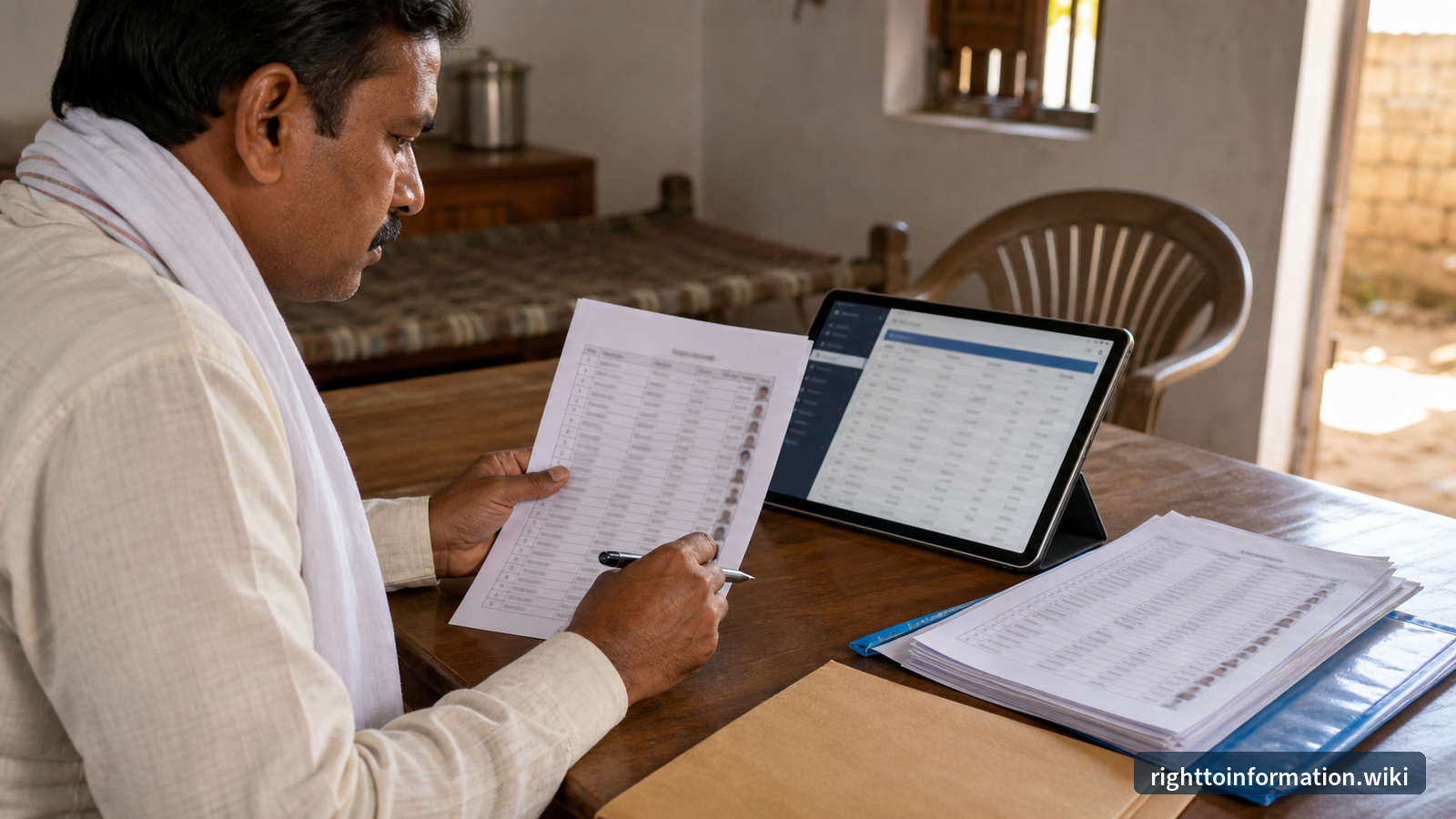
PMAY is one scheme name with two separate record systems, and most wasted searches begin by opening the wrong one. If the house is in a village or Gram Panchayat, the record sits with PMAY-G on the Department of Rural Development portal. If the house is in a town or city, it sits with PMAY-U 2.0 on the Ministry of Housing and Urban Affairs portal. Decide which one applies before you type anything.
Quick answer: Village or Gram Panchayat, use PMAY-G at pmayg.dord.gov.in. Town or city, use PMAY-U 2.0 at pmaymis.gov.in. A missing search result does not by itself prove rejection. A record shown on screen does not by itself prove that money reached a bank account.
Independent resource. RTI Wiki is not a government website. It has no connection with the Ministry of Rural Development, the Ministry of Housing and Urban Affairs, any State Government, Gram Panchayat or Urban Local Body. We cannot see, approve, reject, delete, inspect or change any individual beneficiary record, and we cannot check a status on your behalf. This page explains the official routes and your rights under the Right to Information Act, 2005. Act on what the official portal or the responsible office tells you.
Start here: rural or urban
- Village or Gram Panchayat (PMAY-G): open pmayg.dord.gov.in. The homepage carries the citizen services directly, including Search IAY/PMAY-G Beneficiary Details, Panchayat Wise permanent wait List, Installment Details, Rural Housing FTO Tracking System and AwaasPlus2024 Survey.
- Town or city (PMAY-U 2.0): open the PMAY-U 2.0 portal. It carries Apply for PMAY-U 2.0, Apply for ARH, an applicant login for tracking your own application, and an ISS Subsidy Calculator.
- A missing result is not a decision. The record may sit under the other scheme, under a different registration entry, or at a survey or verification stage that has not reached the public report. Save the exact wording and the date on screen before you conclude anything.
- A visible record is not a payment. Selection, sanction, construction stage and instalment release are separate entries. If the issue is money rather than selection, check the instalment and FTO routes, not the beneficiary list.
- Never share identifiers in public. Do not put an Aadhaar number, registration number, application number, bank details or an OTP into a social media comment, an unsolicited message, a WhatsApp forward or a website you cannot verify. This is different from a genuine application: an authorised Urban Local Body, a Common Service Centre or a lending institution may legitimately need your documents when you apply through them. An OTP is the exception. Never give an OTP to anyone, including someone helping you apply.
What changed in 2024-25 (read this before older guides)
Both halves of PMAY were relaunched, so many older articles point to closed windows and portals that no longer exist:
- PMAY-G was extended for FY 2024-25 to 2028-29 by the Union Cabinet, for 2 crore more rural houses, at the existing unit assistance: ₹1.20 lakh in plain areas and ₹1.30 lakh in North Eastern States and Hilly States, including the UTs of Jammu and Kashmir and Ladakh.
- New rural households are being identified through the Awaas+ 2024 survey with modified exclusion criteria, collected through the Awaas+ 2024 mobile app launched on 17 September 2024. Details: AwaasPlus 2024 survey information.
- The PMAY-G portal is now at pmayg.dord.gov.in (Department of Rural Development). The old pmayg.nic.in address no longer resolves at all, so a bookmark to it will simply fail rather than redirect. Update it.
- PMAY-U 2.0 (2024 onwards) replaced the 2015-22 urban scheme, with an outlay of ₹10 lakh crore and government assistance of ₹2.30 lakh crore for 1 crore families. Its four verticals are BLC (Beneficiary Led Construction), AHP (Affordable Housing in Partnership), ARH (Affordable Rental Housing) and ISS (Interest Subsidy Scheme).
- A beneficiary takes any one of the four verticals, not several. They are alternatives, subject to eligibility, and the benefits do not add together.
- In the AHP and BLC verticals the government assistance is ₹2.50 lakh per unit in total, made up of the Central and the State or UT share under the applicable sharing pattern. The State or UT share is mandatory: 100:0 for UTs without a legislature, 90:10 for the UTs of Delhi, Jammu and Kashmir and Puducherry along with the North Eastern and Himalayan States, and 60:40 for the remaining States. A State may add a further top-up beyond its minimum share, but that is optional and separate from the ₹2.50 lakh.
- Under ISS, EWS families (annual income up to ₹3 lakh), LIG families (₹3 lakh up to ₹6 lakh) and MIG families (₹6 lakh up to ₹9 lakh) taking a loan up to ₹25 lakh for a house valued up to ₹35 lakh get a 4 percent interest subsidy on the first ₹8 lakh of the loan for a tenure up to 12 years, to a maximum of ₹1.80 lakh, released in five yearly instalments by DBT into the loan account, for home loans sanctioned and disbursed on or after 1 September 2024.
- The old CLSS is closed. Anyone offering to “process your CLSS file” in 2026 is not doing government work.
Sources: PIB — unit assistance and the Awaas+ 2024 app and PIB — Cabinet approves PMAY-U 2.0.
Why the beneficiary record matters
A PMAY-G beneficiary record can show:
- Who the sanctioned beneficiary is
- When the sanction was recorded, and the instalment entries against it
- How much assistance was released, instalment by instalment
- Construction stage reached, from foundation through to completion
Read together with the permanent wait list and the survey and verification records, this is what lets a citizen ask a specific, answerable question instead of a general complaint. It is also the material that supports questions about duplicate entries, entries against people who have died, sanctions with no recorded progress, and wrong income-band classification in urban cases.
How to open the PMAY-G beneficiary report (rural)
- Open pmayg.dord.gov.in.
- In the top menu, open Awaassoft, then Report. This opens the rural housing reports site at report.pmayg.dord.gov.in.
- Go to the Social Audit Reports block and open “Beneficiary details for verification”.
- Choose the State and the financial year, then work down through the location filters the report offers for your state.
- The report is generated for the selection you make, and carries the date and time it was produced at the top.
Note on saving a copy. Report pages on this site are generated live. If the report you open offers a print or export control, use it. If it does not, take a dated screenshot or print to PDF, and record the exact filter selection you used. Do not rely on a copy of a list republished on a private website, because you cannot show where it came from.
Note on availability. Government report servers are sometimes slow or briefly unavailable. Retry after a few minutes before concluding that data has been removed.
Check one household by registration number
- On pmayg.dord.gov.in, open Stakeholders, then IAY/PMAYG Beneficiary. The direct route is Search IAY/PMAY-G Beneficiary Details.
- As checked on 2 September 2026, this page asks for a Registration Number or Beneficiary ID and a captcha. Those are the only inputs it offers.
- There is no Aadhaar search box and no advanced search on this page at present. If a website or a person tells you to enter your Aadhaar number to “check PMAY”, that is not this portal.
- No registration number? It is on the sanction letter or the Gram Panchayat record. Ask the Gram Panchayat sachiv or the Block office for the registration number against your household, in writing.
Anyone asking for an “Aadhaar activation fee”, a “list correction charge” or an OTP is not the portal.
Other PMAY-G routes on the same portal
Each of these is a distinct record, linked from the PMAY-G homepage and checked on 2 September 2026:
- Panchayat Wise permanent wait List — the queue of verified eligible households
- Installment Details — unit assistance released, instalment by instalment
- Rural Housing FTO Tracking System — fund transfer orders, for payment questions
- AwaasPlus Beneficiary Details — the Awaas+ record for a household
- SECC Family Member Details — the 2011 census base data
- Am I Eligible? — the portal's own eligibility questionnaire
- Public Grievances — the portal links grievances to the central public grievance system
How to check the PMAY beneficiary list village-wise
The most common question is how to see the list for one village rather than a whole district. On PMAY-G that is what the Social Audit report is for:
- Go to pmayg.dord.gov.in, open Awaassoft, then Report.
- Under Social Audit Reports, open “Beneficiary details for verification”.
- The report opens with a State and a financial year selection. Work down through the location filters it then presents for your State, to Gram Panchayat level.
- Read the date and time stamp printed at the top of the generated report, and keep it with any copy you save.
If your village is not in the list. Check the spelling first. Gram Panchayats are usually listed under their official revenue name rather than the name people use locally, so the entry may be there under a name you did not expect. If it still does not appear, the Gram Panchayat may have no sanction recorded for the year you selected. Try another financial year, and check the Panchayat Wise permanent wait List instead, which shows the queue rather than the sanctions.
For urban ward lists there is no national equivalent. Check your Municipal Corporation or Nagar Palika website, and ask the Urban Local Body for the ward-wise sanction list if it is not published.
How to check the PMAY-U 2.0 position (urban)
Urban works differently from rural. There is no national village-style public list. You track your own application:
- Open the PMAY-U 2.0 portal, reachable from pmay-urban.gov.in.
- New applicants: use Apply for PMAY-U 2.0, complete the eligibility check, and keep the application number safe and private.
- Existing applicants: use the applicant login to see your own application.
- The portal also carries an ISS Subsidy Calculator, Scheme Guidelines, a dashboard, and a support and FAQ section with a helpdesk contact shown on the portal itself.
- Old scheme (2015-22) records: the earlier PMAY(U) MIS portal still carries Search Beneficiary, Beneficiary wise funds released and Track Your Assessment Status.
As checked on 2 September 2026, the PMAY-U 2.0 portal does not publish an open ward-wise beneficiary list or a bulk download. Sanction lists at city level are held by the Urban Local Body. Where a municipal body has not published one, the route is a written request or an RTI application to that body. Do not assume a ward list exists online until you have found it on that city's own site.
If a PMAY-U 2.0 application was rejected or is not visible, see PMAY-U 2.0 name not in list — rejection complaint and RTI.
The survey and verification record trail
For PMAY-G, selection is not a single screen. It is a sequence of records, and a dispute is usually resolved by finding which step your household stopped at.
- Survey entry. The household is captured in the Awaas+ 2024 survey through the mobile app.
- Exclusion criteria applied. The prescribed exclusion criteria are applied to produce a priority list.
- Permanent Wait List. A priority list called the Permanent Wait List is prepared for the State or UT.
- Gram Sabha verification and appeal. The Permanent Wait List is subjected to verification by Gram Sabhas, followed by an appellate process. This sequence is set out in the Ministry of Rural Development's own reply at PIB PRID 2101871.
- Sanction against the annual target. Being on the list is not a sanction. Sanction depends on the target the Gram Panchayat receives.
- Construction stages and instalments. Progress and payment are recorded separately from selection.
Read circular dates carefully. The PMAY-G portal lists documents with the date they were posted, which is often much later than the date the document was issued. As an example checked on 2 September 2026, letters posted under a July 2026 listing date are letters actually dated 7 October 2025 (to Assam) and 22 August 2025 (to Rajasthan). Survey-timeline extensions have generally been issued to named States, not to every State and UT at once. Before you rely on an extension, open the document itself and read the date and the addressee on the letter.
Documents currently published in the PMAY-G circulars area include “Self Survey corroboration and Checker verification” dated 21 May 2025, “Deletion guidelines and SOP” dated 24 November 2025, a “Remand Module PMAY-G” note, and a “Standard Operating Procedure for new module for Social Audit under the PMAY-G”. The portal also publishes Guidelines on Social Audit. These are the documents to name when you ask an office which procedure was applied to your household. Ask for the document and the record of its application to your case, rather than relying on a summary.
Geo-tagged photographs and inspection records
Stage-wise photographs and field inspection are part of the PMAY-G monitoring system, and the reports site carries a GIS Reports block with an Abstract Mobile Inspection Report.
Be clear about what is and is not open to the public. As checked on 2 September 2026, the public report surface did not expose per-household photographs with map coordinates that a citizen can click through and inspect. Treat the photographs and inspection records as records held by the administration rather than as a public gallery you can browse.
That distinction matters, because it tells you the correct route. If you need the photographs or the inspection record for a specific sanctioned house, ask for them as records, in writing, from the Block Development Officer or the District Rural Development Agency, and use the RTI route below if the request is not answered. Ask for the record, its date, and the name and designation of the officer who made it.
The Awaas+ 2024 survey and the list
The Awaas+ 2024 survey is the identification exercise for the 2024-29 phase, run through the Awaas+ 2024 mobile app launched on 17 September 2024, using modified exclusion criteria approved along with the scheme's extension.
- Why it matters. Sanction in this phase flows from households identified through this survey and from the verified Permanent Wait List. If your household is in neither, it is not yet in the sanction pipeline.
- Households excluded under the older criteria are not automatically excluded now, because the exclusion criteria were modified for this phase. That is a reason to check your current status rather than to assume the old answer still holds.
- How to check. Ask the Gram Panchayat sachiv or the Block office whether your household was captured, and check the AwaasPlus Beneficiary Details route and the Panchayat Wise permanent wait List.
- Survey windows are state-specific. Extensions have been issued to named States at different times. Ask your Block office whether a survey window is currently open for your block, and ask for the letter it relies on.
- Official page: AwaasPlus 2024 survey information. See also how to apply through Awaas+.
If your name is missing from the list
Step 1 — Confirm which scheme and which record
Check that you looked under the correct scheme, rural or urban. For PMAY-G, check the Awaas+ record and the Permanent Wait List before concluding anything. For PMAY-U 2.0, check the income band and whether an application was actually submitted and is visible under the applicant login.
Step 2 — Preserve the evidence
Record the exact wording on screen, the date and time, the filters you selected, and the portal address. A dated screenshot or PDF is what turns “my name is missing” into a specific question an office can answer. Keep your registration or application number in your own records, and do not publish it.
Step 3 — Ask the office for the recorded reason
Write to the Gram Panchayat and the Block Development Officer (rural), or the Urban Local Body (urban), asking for the recorded status of your household and the reason recorded against it. Ask for a written reply. A verbal assurance at a counter is not a record.
Step 4 — Use the grievance route, the RTI route, or both
These are different processes with different purposes, and it helps to be clear about which one you are using:
- A grievance asks the administration to look at your case. The PMAY-G portal links to the central public grievance system at pgportal.gov.in.
- An RTI application asks for recorded information. It does not decide your case and does not order anyone to act, but it produces the documents you need for any further step.
Step 5 — What to ask for under RTI
Under §6 of the Right to Information Act, 2005, you can ask the BDO or DRDA (rural) or the Municipal Commissioner or ULB (urban) for records such as:
- The recorded status of your household in the Awaas+ 2024 survey and in the Permanent Wait List for your Gram Panchayat or ward
- The criteria applied to your household, and the record of their application
- The date on which the list for your Gram Panchayat or ward was last updated
- The beneficiary particulars for your Gram Panchayat or ward, with sanction dates and assistance amounts
- Copies of the verification or inspection records, including stage-wise photographs held for a specified sanctioned house
- Instalment and fund transfer records for a specified sanctioned house
- Records of any deletion or cancellation, and the procedure applied
→ Use the AI RTI Drafter to put this into a properly worded application, or dictate it with AwaazRTI. See also the master RTI guide for PMAY.
What RTI does, and what it does not do. An RTI application obtains recorded information held by a public authority. It is not a complaint, an appeal against a housing decision, or an instruction to an officer. Filing one does not by itself start an inquiry, cancel a sanction, add a name to a list, release an instalment or produce any other favourable outcome. What it does is give you dated documents and the recorded reasons, which are what a grievance, a departmental complaint, an appeal or any later proceeding actually runs on. Selection and payment decisions are made through the scheme's own processes, not through the RTI Act.
The statutory basis for asking
Section 4(1)(b)(xii) of the Right to Information Act, 2005 requires every public authority to publish “the manner of execution of subsidy programmes, including the amounts allocated and the details of beneficiaries of such programmes”. PMAY is a subsidy programme, so how it is executed, the amounts allocated and beneficiary details fall squarely within the proactive publication duty, and §4(2) makes it a constant endeavour to provide such information suo motu.
That duty is a strong starting point when an office says a beneficiary list cannot be shared. It is not, however, a guarantee about every field of every record. A public authority still applies the Act to the specific record you asked for, and may withhold or redact particular material, giving reasons. Personal details that go beyond what the subsidy record requires, such as bank account numbers or Aadhaar numbers, are the kind of material where a redaction may be defended. If you disagree with a refusal or a redaction, the answer is the appeal route, not an assumption that privacy can never apply.
Deadlines and appeals
- A PIO must ordinarily reply within 30 days under §7(1). No reply within the time limit is treated as a deemed refusal.
- A First Appeal under §19(1) goes to the First Appellate Authority within 30 days of the reply, or of the deadline passing.
- A complaint under §18 goes to the Information Commission, including for non-compliance with the §4 publication duty.
- If you addressed the wrong authority, §6(3) requires the application to be transferred to the right one within five days.
- Our First Appeal Builder drafts the appeal, and the PIO Reply Checker reviews an evasive reply.
RTI fees: check your State, not a single national rule
There is no single ₹10 fee that covers every PMAY authority. A Gram Panchayat, a Block Development Officer, a District Rural Development Agency, a Municipal Corporation and a Nagar Palika are ordinarily State public authorities. They are governed by the RTI Rules made by that State Government, not by the central RTI Rules. Application fees, copying charges, payment methods and online filing arrangements depend on the applicable rules. But the proviso to §7(5) of the RTI Act provides the fee exemption for people below the poverty line, as determined by the appropriate Government. That proviso covers the fee under §6(1) as well as those under §7(1) and §7(5), so a below poverty line applicant is not to be charged at all. Check the required BPL proof when applying.
- Central public authorities, such as a Ministry of the Government of India, can be approached online through rtionline.gov.in under the central rules.
- State public authorities follow their own State rules. Some States run their own RTI portal, some accept only a physical application, and the fee and payment method vary. Court fee stamps, Indian Postal Orders, demand drafts and cash at a counter are all used in different States.
- Before you pay anything, confirm the current fee and payment method for the specific State and authority. Our state-wise RTI fees guide sets out the position State by State, and a paper application sent by post works where no online route exists.
State-wise filing guides: UP | Bihar | Maharashtra | Karnataka | Tamil Nadu | Rajasthan | Gujarat | MP | West Bengal | Odisha
PMAY-G and PMAY-U 2.0 side by side
| Feature | PMAY-G (Gramin / Rural) | PMAY-U 2.0 (Urban) |
|---|---|---|
| Who it covers | Rural households without a pucca house | Urban EWS, LIG and MIG families |
| Ministry | Ministry of Rural Development | Ministry of Housing and Urban Affairs |
| Portal | pmayg.dord.gov.in | pmaymis.gov.in — PMAY-U 2.0 |
| How beneficiaries are identified | SECC 2011 criteria with the Awaas+ 2024 survey, then the Permanent Wait List | Self-application on the portal |
| Public list? | Reports available through the Social Audit Reports block | No open ward-wise list on the portal; ULB holds city records |
| Assistance | ₹1.20 lakh plain, ₹1.30 lakh NE and Hilly States | BLC/AHP: ₹2.50 lakh government assistance per eligible unit under the applicable Centre-State/UT sharing pattern. Alternatively, ISS interest subsidy up to ₹1.80 lakh. These are separate verticals, not additive benefits. |
| How money moves | DBT to the beneficiary account, linked to construction stages | Through the State, ULB or the lending institution |
| Usual RTI target | Block Development Officer or DRDA | Municipal Commissioner or Urban Local Body |
Rule of thumb: a village or rural panchayat area means PMAY-G. A city, town or urban municipal area means PMAY-U 2.0. Some peri-urban areas can fall either way, so confirm with your local revenue office rather than guessing.
Official PMAY-G progress (as on 2 September 2026)
The counters published on pmayg.dord.gov.in showed, cumulatively for Phase I and Phase II, with the portal's own date stamp of 02/09/2026:
| Counter | Cumulative, Phase I and II |
|---|---|
| MoRD target | 4,06,28,005 |
| Registered | 3,98,44,258 |
| Sanctioned | 3,91,54,979 |
| Completed | 3,15,34,643 |
| Fund transferred | ₹4,19,651.45 crore |
These figures change daily and the portal shows a separate breakdown for Phase I and Phase II. Always read the date stamp on the portal itself rather than a screenshot on a private website. State-wise detail is on the same homepage and on report.pmayg.dord.gov.in.
Open data for researchers and journalists
data.gov.in hosts machine-readable PMAY datasets, including State and district-wise counts of houses sanctioned, grounded and completed. The ministry dashboards on pmay-urban.gov.in and the PMAY-G analytics dashboard carry progress figures interactively. Start from the portal reports for the shape of the data, then use RTI for the underlying records, which is where dates, reasons and named responsibility live.
Patterns worth asking about
These patterns are reasons to ask a precise question. None of them proves wrongdoing on its own. A data-entry error, an outdated entry or another explanation is possible. Ask for the records before drawing a conclusion.
- The same address against several beneficiaries. Ask for the eligibility verification record for each.
- An entry against a person who has died. Ask for the date of sanction, the instalment record and the account into which money was released.
- A sanction with no recorded construction progress long afterwards. Ask for the latest inspection record and its date.
- A completion status with no supporting stage record. Ask what evidence the completion entry rests on.
- A sanction dated before the household appears in the survey data. Ask for the source record for the entry.
- A beneficiary who visibly already has a pucca house. Ask for the eligibility verification record.
- An instalment shown as released that the household says it never received. This is a payment question. Use the instalment and FTO routes, and ask the bank as well as the Block office.
If the records you receive show a genuine irregularity, a written complaint to the District Magistrate or Collector, and where appropriate the State vigilance body or Lokayukta, is the route that can lead to action. For a central government servant, the Central Vigilance Commission is the designated agency under the PIDPI Resolution, 2004. Keep the RTI reply itself, because it is your documentary record. Whether any inquiry follows is a decision for those authorities.
RTI Wiki tools
- AI RTI Drafter — drafts a PMAY records request
- AwaazRTI — dictate the application instead of typing
- First Appeal Builder — for a §19(1) appeal after silence or refusal
- PIO Reply Checker — reviews an evasive reply against §8
- Timeline Tracker — tracks the §7(1) clock
- The RTI Playbook — the full method, from drafting to the Information Commission
FAQ
Is the PMAY beneficiary list public information?
Beneficiary details of a subsidy programme are listed for proactive publication by §4(1)(b)(xii) of the RTI Act, 2005, which covers “the manner of execution of subsidy programmes, including the amounts allocated and the details of beneficiaries of such programmes”. That is a strong basis for asking. It does not mean every field of every record must be disclosed in every case. A public authority still applies the Act to the specific request, and may redact particular material with reasons. If you think a refusal or redaction is wrong, use the first appeal under §19(1).
Will one RTI application get my house sanctioned?
No. An RTI application obtains recorded information. It does not sanction a house, add a name to a list, release an instalment or start an inquiry. Its value is that it produces dated records and recorded reasons, which is what a grievance, an appeal or a complaint needs in order to go anywhere. Selection and payment are decided through the scheme's own processes.
What fee do I pay for a PMAY RTI?
It depends on the authority. A BDO, DRDA, Gram Panchayat, Municipal Corporation or Nagar Palika is ordinarily a State public authority, so your State's RTI Rules set the fee, the payment method and any online route. The central rules and rtionline.gov.in apply to central public authorities. Confirm the current position for your State on our state-wise RTI fees guide before paying anything. One protection is statutory and applies everywhere: under the proviso to §7(5) of the RTI Act, no fee is charged from a person below the poverty line, as determined by the appropriate Government. Check what BPL proof the authority requires when you apply.
My name is not showing. Does that mean I was rejected?
Not by itself. The record may sit under the other scheme, under a different registration entry, or at a survey or verification stage that has not reached the public report. Save the exact screen wording and date, confirm you used the correct rural or urban route, then ask the responsible office for the recorded status and reason.
The portal shows a sanction. Does that mean money reached the bank?
No. Selection, sanction, construction stage and instalment release are separate records. For a payment question, use the instalment and FTO routes rather than the beneficiary list, and check with the bank branch as well. See RTI for a PMAY instalment delay.
Can I check PMAY status using an Aadhaar number?
As checked on 2 September 2026, the PMAY-G beneficiary search asks for a registration number or beneficiary ID and a captcha. It does not offer an Aadhaar search box. Whatever route you use, never type an Aadhaar number into a site you cannot verify, and never post it in a public comment, message or forum. Applying is different: when you apply through an authorised Urban Local Body, a Common Service Centre or a lending institution, the official process may require your documents. An OTP is never part of that. Do not give an OTP to anyone.
Can I ask for a list for a panchayat or ward where I do not live?
Yes. §6 of the RTI Act does not restrict information by the applicant's address, and does not require you to give a reason for asking. If you address the wrong authority, §6(3) requires it to transfer your application to the correct one within five days.
What if the office says the data is not maintained?
PMAY records sit in a central management information system, so a bare claim that nothing is maintained is worth testing. Ask which authority holds the record if that office does not. Then use a First Appeal under §19(1), and a complaint under §18 to the Information Commission where a §4 publication duty is being ignored.
How current is the list on the portal?
Entries are made by Block and ULB staff, so freshness varies by district. If a recent sanction has not appeared, wait and re-check. For anything older, ask under RTI on what date the list for your Gram Panchayat or ward was last updated.
I am in the Awaas+ list but not in the beneficiary list. Why?
Awaas+ is the identification pool, not the sanction list. The survey feeds a priority list, the Permanent Wait List, which is verified by the Gram Sabha and followed by an appellate process. Sanction then depends on the annual target your Gram Panchayat receives. Being on the list is a real position, not a rejection.
What is the difference between pmayg.nic.in and pmayg.dord.gov.in?
pmayg.dord.gov.in is the current official PMAY-G portal, run by the Department of Rural Development. The older pmayg.nic.in address no longer resolves, so an old bookmark simply fails to open rather than forwarding you. Update the bookmark, and be wary of private sites using similar-looking names.
What assistance amounts should the record show in 2026?
For PMAY-G, unit assistance of ₹1.20 lakh in plain areas, or ₹1.30 lakh in North Eastern States and Hilly States including the UTs of Jammu and Kashmir and Ladakh, released in instalments linked to construction stages. For PMAY-U 2.0, either government assistance of ₹2.50 lakh per unit in the AHP and BLC verticals, or interest subsidy of up to ₹1.80 lakh under ISS. These are alternative verticals, not a combined package. The ₹2.50 lakh is the total of the Central and the mandatory State or UT share under the applicable sharing pattern, so the Central figure alone will be lower in most States. A State may add an optional top-up beyond its minimum share, which is why a figure can differ legitimately. Confirm the current norms on the official portal before treating a difference as wrongdoing.
Can I see earlier years, not just the current one?
Yes. The PMAY-G report carries a financial-year filter. As checked on 2 September 2026 it offered years from 2010-2011 through 2026-2027. Select each year in turn and save the output for each. For anything the portal does not show, use the RTI route above to ask for the certified records.
Is there an app for the PMAY beneficiary list?
The Awaas+ 2024 mobile app is the survey application used for household identification, described on the portal's own survey information page. For looking up a record, use the pmayg.dord.gov.in website in a browser. The government's UMANG platform also carries PMAY-related services.
Sources
Last reviewed: 2 September 2026. Portal routes, figures and circular dates on this page were opened and checked on that date. Where a portal function could not be confirmed on the public surface, this page says so rather than describing it.