Income Tax Refund Status 2026: Check and Fix
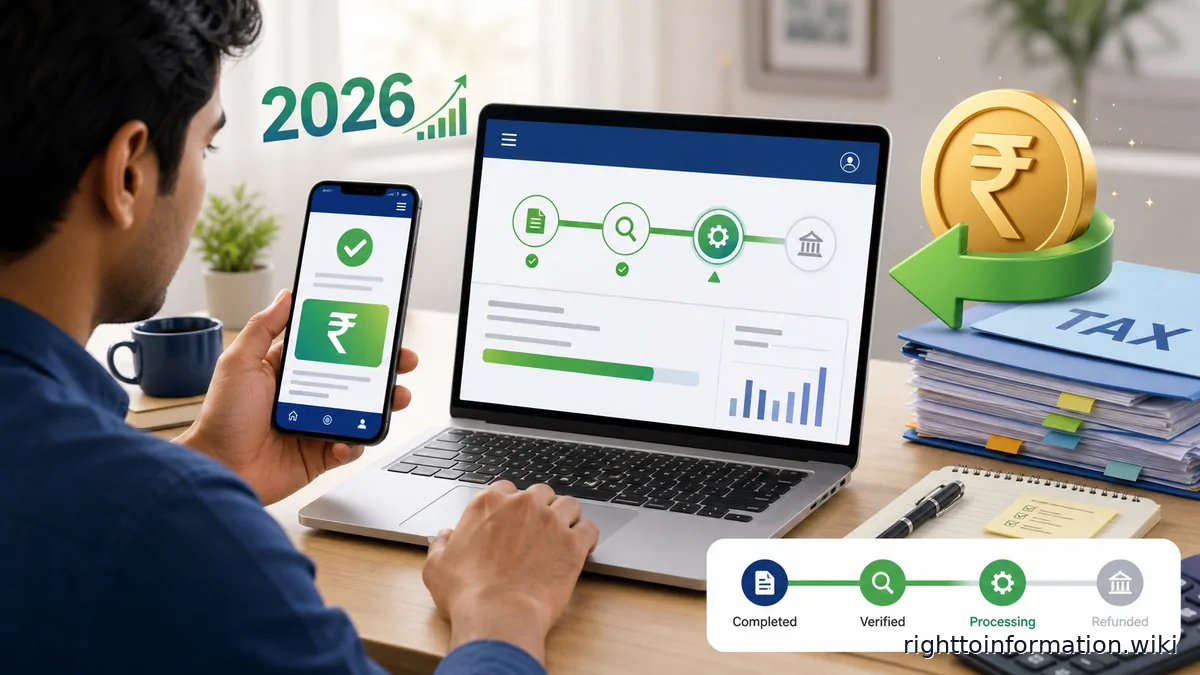
Last reviewed: 1 September 2026.
Quick Reply: To check your income tax refund status in 2026, log in to the e-filing portal at eportal.incometax.gov.in, go to e-File > Income Tax Returns > View Filed Returns, select your assessment year, and click View Details. If your refund has failed, go to Services > Refund Reissue to submit a fresh request. This is a citizen guidance page - it is not an official government, tax, bank, or insurance page.
Most salaried taxpayers who file ITR-1 before the due date expect their refund within a few weeks of e-verification. But the portal shows half a dozen different status messages, and each one calls for a different action. This guide walks you through every step - from logging in to fixing a failed refund - so you know exactly what to do in 2026.
For what to do when a refund is delayed, disputed, or requires escalation, see income tax refund delay - full escalation guide.
Method 1: Check on the e-filing portal (logged in)
This is the primary method and shows the most complete status, including the ITR lifecycle.
- Open eportal.incometax.gov.in and log in with your PAN and password.
- If your PAN is not linked to Aadhaar, a pop-up will appear - click Link Now to complete the linking, or continue if already linked.
- Click the e-File tab, then Income Tax Returns, then View Filed Returns.
- You will see a list of all assessment years for which returns have been filed. Select the relevant assessment year (for income earned in FY 2025-26, the assessment year is AY 2026-27).
- Click View Details to open the full status page, which shows the ITR lifecycle from filing to refund.
Method 2: Confirm the credit with your bank
The old NSDL/Protean tracker at tin.tin.nsdl.com no longer works - the domain has been retired, and no replacement no-login tracker has taken its place. The e-filing portal (Method 1) is the official place to check status. What you can do without logging in:
- Watch your pre-validated bank account for a credit from SBI, the refund banker - income tax refunds are routed through SBI, and the transaction narration usually identifies it as a refund.
- Once the e-filing portal shows Refund issued, allow a few working days for the credit to appear in your bank statement.
- If no credit ever arrives, your bank branch can tell you whether an inward credit was attempted and returned - that is the signature of a failed refund (see the Refund failed section below).
What each status message means
The e-filing portal uses several status phrases. Here is what each one means and what action, if any, you should take.
Return received / e-verified
Your ITR has been filed and e-verified successfully. The Central Processing Centre (CPC) in Bengaluru is yet to process it. No action needed - processing typically begins within days of e-verification.
Under processing
CPC is currently processing the return. No action needed. For ITR-1 (Sahaj), typical processing takes 7-20 days after e-verification; ITR-4 (Sugam) takes 15-30 days; ITR-2 and ITR-3 can take up to 60 days.
Processed - Refund issued
CPC has processed the return and dispatched the refund to SBI (the refund banker). The refund should reach your pre-validated bank account within a few working days. Check your bank statement for the credit from SBI (the refund banker) to confirm the date.
Processed - Refund partially adjusted
Your refund was partially offset against an outstanding tax demand from a previous assessment year under section 245 of the Income Tax Act, 1961. You should have received an intimation before the adjustment - see the section below on section 245 for what to do.
Processed - Refund fully adjusted
The entire refund was used to settle a previous outstanding demand under section 245. If you disagree with the demand, you can raise it on the portal under Pending Actions > Response to Outstanding Demand.
Refund failed
SBI attempted to credit the refund but could not. Common reasons include: account not pre-validated on the e-filing portal, name mismatch between bank records and PAN, invalid or updated IFSC code, or a closed account. You must submit a refund reissue request - see the section below.
Demand determined
CPC has calculated that you owe additional tax instead of receiving a refund. Check your AIS (Annual Information Statement) and Form 26AS for any TDS/TCS not reflected in your original return, and verify your computation before paying or disputing.
Refund failed? How to request a reissue
If your status shows Refund failed, follow these steps:
- Log into eportal.incometax.gov.in.
- Click Services in the top menu, then select Refund Reissue.
- Click Create Refund Reissue Request.
- Select the assessment year for which the refund failed.
- On the Select a Bank Account page, only pre-validated accounts will appear. If the correct account is not listed, pre-validate it first (see below).
- Select the account and click Proceed to Verification.
- Complete e-verification using Aadhaar OTP, net banking, or DSC.
- A success message and Transaction ID will appear - note it down and check your registered email and mobile number for confirmation.
The refund typically takes four to five weeks to process after a reissue request is accepted.
How to pre-validate your bank account
Bank account pre-validation is mandatory to receive a refund; without it, refunds cannot be credited. The Income Tax Department issues refunds only by electronic credit to a pre-validated bank account - paper cheque refunds have been phased out.
- Log into the e-filing portal and open My Profile.
- Click My Bank Accounts.
- If your account is not listed, click Add Bank Account and enter the account number, IFSC, and account type.
- The portal will validate the details against NPCI records. A green tick labelled Validated confirms success.
- Ensure the name in your bank account exactly matches the name on your PAN card.
Section 245: when your refund is adjusted against an old demand
Under section 245 of the Income Tax Act, 1961, the Income Tax Department can offset your current-year refund against any outstanding demand from previous assessment years. The department must send you an intimation before doing so and give you an opportunity to respond.
- You have 30 days from the date of the intimation to respond on the portal.
- To respond, log in and go to Pending Actions > Response to Outstanding Demand.
- You can select Demand is Correct (accept the offset) or Disagree with Demand (contest it with written reasons).
- If you do not respond within 30 days, the department may proceed with the adjustment automatically.
- If you disagree and your explanation is not accepted, you can pursue rectification under section 154 or file an appeal.
Interest on delayed refunds: section 244A
If the Income Tax Department delays your refund, you are entitled to interest under section 244A of the Income Tax Act, 1961. The rate is 0.5% per month (or part of a month), which works out to 6% per annum. For refunds of excess TDS - the usual salaried case - interest runs from the 1st of April of the assessment year; in other cases it runs from the date of payment of tax or filing of the return (whichever is later). In both cases it runs up to the date the refund is granted. No interest is payable if the refund amount is less than 10% of the tax as determined on assessment (under section 143(1) or regular assessment). Interest received under section 244A is taxable as income from other sources.
Documents to keep ready
- PAN and Aadhaar linked to your registered mobile number.
- Acknowledgement number (ITR-V) for the return filed.
- Screenshot of the refund status page showing the assessment year and status message.
- Bank account details: account number, IFSC, account holder name exactly as in bank records.
- Any intimation received under section 245 (check your registered email and the portal inbox).
- Transaction ID from any refund reissue request.
Red flags and scam alerts
- The Income Tax Department does not send SMS or WhatsApp links asking you to click to release a refund.
- Never share OTP, net banking credentials, or debit card details with anyone claiming to release your refund.
- Official communications come only to your registered email and mobile number on the e-filing portal.
- If you have an outstanding demand notice, verify it on the portal itself - do not act on phone calls or unofficial documents.
Why the distinction matters
Refund problems fall into different buckets: return not e-verified, processing pending, demand adjustment, refund determined but not issued, or payment failed because of bank or PAN status. The official portal's status and intimation determine the remedy. No fixed number of days can be promised for every return.
Action checklist
- Open incometax.gov.in directly, log in and choose the correct assessment year under filed returns or the refund-status help flow.
- Confirm e-verification. The department's service manual notes the current verification period and the portal shows whether the return is validly verified.
- Download the section 143(1) intimation and compare returned income, processed income, demand and refund.
- Check that the selected bank account is active, belongs to the PAN holder and is validated on the e-Filing portal.
- For a failed payment, use Services → Refund Reissue, select the refund record and bank account, e-verify and keep the transaction ID.
- For a processing error, use the applicable rectification or grievance route only after reading the intimation; do not guess the correction.
Escalate without losing the record
Use the service owner's written grievance route first and preserve its acknowledgement. Escalate only to the regulator, appellate authority, Commission or police route that applies to this issue. A telephone assurance is not a closure record. If a public authority holds the missing status, note, inspection report or reason, request that existing record precisely; RTI does not compel a desired service outcome.
For drafting and appeal strategy, use Book: RTI Explained — A Practical Guide for Every Indian. Never put an Aadhaar number, bank credentials, OTP, password or irrelevant medical record in a public RTI application.
If the return is stuck or defective
If status is pending for e-verification, e-verify first. Nothing else helps until that is done.
If it shows defective, read the notice. Respond through the portal within the time given. Section 139(9) defective-return language lives in the Act. The portal tells you what to fix.
If a verified return stays under processing with no intimation, raise a grievance on e-Filing / e-Nivaran. Note the acknowledgement.
Do not invent a refund calendar. If the intimation shows a refund and the bank has nothing, match the pre-validated account on the portal to the passbook. Wrong IFSC and a closed account are common. Fix bank details on the portal. Then wait for the next credit attempt. Still silent: grievance, then RTI.
RTI to CPC or the AO PIO
The processing authority is the Centralised Processing Centre. If View Filed Returns shows transfer to the Assessing Officer, the live file is with that AO. Use Know Your JAO at knowYourAO to name the office.
File under RTI Act 2005 s.6(1) to the PIO of CPC Bengaluru for a CPC processing file, or to the PIO of the jurisdictional Assessing Officer / Principal Commissioner if the return was transferred. Reply is due in 30 days under s.7(1). First appeal is s.19(1).
RTI asks for the movement log. It does not order a refund. Demand-for-payment language is the wrong tool.
1. Current status of ITR for PAN [number], acknowledgement [number], assessment year [year], as on the date of this reply.
2. Date of e-verification or ITR-V receipt, date of processing, and date of s.143(1) intimation if issued.
3. Name and designation of the official with whom the return or refund is pending, and from which date.
4. If a refund is determined: amount, payment advice or refund banker reference, and reason any credit has not reached the pre-validated account.
5. Action taken on e-Nivaran grievance [number] dated [date].
Draft with the AI RTI Drafter. Appeal with the First Appeal Builder. Method: The RTI Playbook.
Illustrative scenario. A return is e-verified. View Filed Returns still says under processing. The taxpayer files e-Nivaran with the acknowledgement number. If the ticket has no officer name and no intimation, RTI to the CPC PIO asks for the last action date and whether the file was transferred to the AO. That is a status request, not a demand to credit money.
Safety warnings
* Use incometax.gov.in only. Ignore look-alike refund apps and search ads.
- Never share OTP, password, or PAN login, including with callers who name a refund amount.
- No agent fee is needed to check your own ITR status. The service is free.
- Do not post ITR-V or AIS screenshots in public groups.
Common mistakes
* Tracking refund on the return-status screen and calling it “stuck”.
- Leaving ITR-V unverified, then blaming CPC.
- Quoting a blog's refund day-count as if it were a CBDT circular.
- Filing RTI to “CBDT, North Block” for one acknowledgement.
- Using a closed bank account as the pre-validated refund account.
Frequently asked questions
How long does it take to get an income tax refund after e-verification in 2026?
After e-verification, CPC typically processes ITR-1 and ITR-4 returns in 7-30 days. Once processed, SBI credits the refund to your pre-validated bank account within a few working days. Overall, most simple returns see credit within 4-5 weeks of e-verification, though complex returns can take longer.
Why does my refund status still show "under processing" after 60 days?
Returns with mismatches in TDS, discrepancies in AIS, or defective return notices can take longer. Check your registered email and the e-filing portal for any notice or demand. If no notice has been raised, you can raise a grievance at eportal.incometax.gov.in under the Grievance section. For escalation steps after that, see income tax refund delay.
My bank account is linked but the refund still failed - what went wrong?
Linking is not the same as pre-validation. Your account must show a green Validated tick on the My Bank Accounts page. Also verify that the account holder name in the bank exactly matches the name on your PAN - even small spelling differences cause failure.
Can the department adjust my refund without telling me?
No. Section 245 of the Income Tax Act, 1961 requires the department to send you an intimation and give you 30 days to respond before making an adjustment. If the adjustment was made without prior intimation, you can raise a rectification request under section 154 on the e-filing portal.
Is the interest I receive on a delayed refund taxable?
Yes. Interest paid by the department under section 244A is taxable as income from other sources in the year of receipt. It will appear in your AIS and must be declared in your next ITR.
What should I do if my refund reissue request is rejected?
First check that your bank account is fully pre-validated and the name exactly matches your PAN. If the account details are correct but the request is still rejected, raise a grievance on the portal and, if unresolved, consider filing an RTI application to CPC Bengaluru asking for the reason for non-credit. See RTI for income tax refund delay 2026 for a ready-to-use template.
Related guides
If you need to understand your rights under the RTI Act or want a ready-made RTI application for any government department, The RTI Playbook has step-by-step templates and real case examples.