Table of Contents
TAFCOP Portal on Sanchar Saathi: Check SIM Cards in Your Name 2026
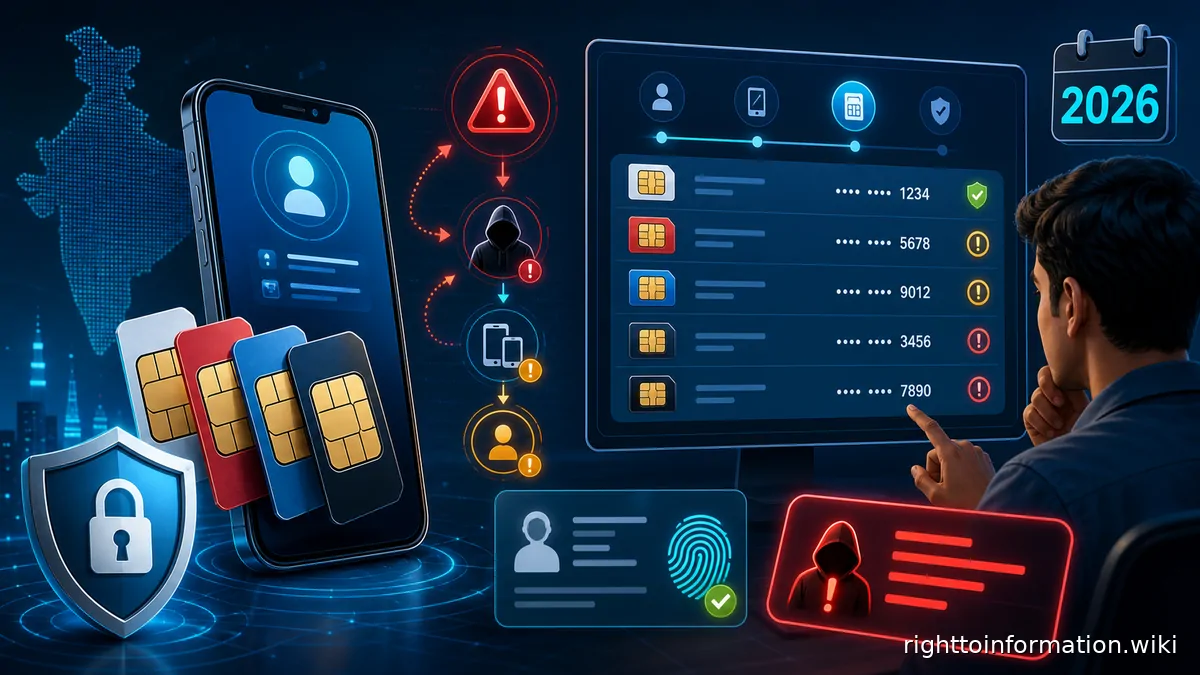
Quick answer: If a mobile number you never took is sitting in your name, open tafcop.sancharsaathi.gov.in, the Know Mobile Connections in Your Name service on Sanchar Saathi. Enter your 10-digit mobile number, type the captcha, then enter the one-time password sent to that number and select Login. The portal lists the mobile connections issued in your name. Tick This is not my number against any you did not take, or Not required against one you no longer want, then select Report. You get a ticket ID, and your own service is untouched. The flagged connection goes to its operator for re-verification. The official timeline is outgoing services suspended within 30 days, incoming within 45 days, and disconnection within 60 days if it fails. The service is free. This page is citizen guidance only. It is not an official government, regulator, bank, telecom, or insurance page.
A number you never took is unsettling. It does not mean you wait for a letter. Open the portal, read the list, and report what is not yours. The check takes about two minutes and costs nothing.
If the result is unclear, the TAFCOP SIM Check tool on this site walks through each situation, from a connection you do not recognise to a request you reported earlier, and names the official service to use next.
If a fraudster has already used a SIM linked to you, go to SIM swap fraud recovery. If a genuine number is flagged and you receive a KYC warning, follow the SIM re-verification guide to keep your number active.
हिंदी में पढ़ें: TAFCOP पर अपने नाम के SIM कार्ड कैसे जांचें: हिंदी गाइड 2026
This wiki does not list SIMs. The official portal never asks for Aadhaar.
1. TAFCOP login Know mobile connections in your name. tafcop.sancharsaathi.gov.in
2. Sanchar Saathi home Sanchar Saathi home. sancharsaathi.gov.in
What TAFCOP is
You use TAFCOP to see which mobile connections are working in your name, and to report any you did not take. TAFCOP stands for Telecom Analytics for Fraud Management and Consumer Protection. The Department of Telecommunications built it as a consumer portal so that a subscriber could see those connections and choose which to keep. It was rolled out circle by circle, with the Kerala launch announced in April 2022. It now sits inside the Sanchar Saathi portal at sancharsaathi.gov.in under the service name Know Mobile Connections in Your Name.
The official description is short. The service lets a subscriber check the number of mobile connections taken in their name, and report those that are either not required or not taken by them. On 9 September 2026 the Sanchar Saathi dashboard showed 410.90 lakh requests received under this service and 390.18 lakh resolved.
Sanchar Saathi hosts other citizen services too. CEIR blocks a lost or stolen handset by its IMEI number. Chakshu takes reports of suspected fraud calls, SMS and WhatsApp messages. Others check handset genuineness, report an international call that showed an Indian number, and identify your wireline internet provider.
The same services sit in the Sanchar Saathi mobile app, launched on 17 January 2025 for Android and iOS. Installing it is optional. On 3 December 2025 the Government announced that pre-installation by handset makers would not be made mandatory.
Other Sanchar Saathi services can help you verify a bank or financial institution's contact details, find authorised wireline broadband providers by PIN code, and report an overseas call that displayed an Indian number.
How to check SIM misuse on TAFCOP step by step
Have your phone next to you. The one-time password has to reach the number you type in.
- Open a browser and go to tafcop.sancharsaathi.gov.in. The page loads a plain login box headed Know Mobile Connections in Your Name.
- Enter your 10-digit mobile number in the field marked 10 digit Mobile number. Use a number that already works in your name.
- Read the characters in the captcha image, type them into the Enter Captcha box, and select Validate Captcha. Use the refresh icon if the image is unclear.
- A one-time password reaches that number by SMS. Type it into the OTP field. A Resend OTP button appears if it does not arrive.
- Select Login. The portal lists the mobile connections issued in your name, with the numbers partly masked.
Each row shows one connection and lets you mark it. The total appears at the top of the list.
You need a phone switched on and in network range, a number that is active and KYC-verified in your name, and an internet connection on any device. If your SIM was recently swapped or reissued, first check SIM stopped, swap, and KYC recovery. The check takes about two minutes. There is no fee and no registration.
The portal shows the connections issued against the identity records held for the number you log in with. If you hold more than one number, log in separately with each one.
How many SIMs are linked to my Aadhaar?
People ask this because they fear someone used their Aadhaar to take a SIM. The official portal never asks for your Aadhaar number and never displays it. You log in with a mobile number and a one-time password only. The list is the connections issued in your name against the identity records your operators hold. Aadhaar is one of the documents used at the time of issue, which is why people call the result their Aadhaar-linked SIMs. Any website that asks you to type an Aadhaar number to see a SIM list is not the official service.
The count on that list is still what matters. Under Department of Telecommunications instructions, an individual subscriber can hold a maximum of 9 mobile connections in total across all telecom service providers in India. The limit is 6 connections in Jammu and Kashmir, Assam and the North Eastern states. Connections above the limit are disconnected by the service provider, starting with the most recently activated.
To see your own count, log in at tafcop.sancharsaathi.gov.in, read the total at the top of the list, and check every row against the SIMs you actually use.
If the count is higher than the SIMs you use, someone may have used your identity documents to take a connection. Report those numbers straight away, as described below.
If the count looks wrong or shows nothing while you do hold active SIMs, those connections may sit under a different identity, such as a company or a family member. Ask the operator concerned whose records the connection sits under. Aadhaar problems themselves are handled by UIDAI. See Aadhaar biometric locked or authentication failed.
You can also start from sancharsaathi.gov.in and choose Know mobile connections in your name, which opens the same login.
What to do if you see an unknown number
The portal does not disconnect an unknown number on sight. It gives you two report options against each connection. A number you want to keep needs no action. Leave it unmarked and it stays untouched.
- This is not my number is for a connection you never took. Use it for any number you genuinely do not recognise.
- Not required is for a connection that is yours but that you no longer want. An old SIM belongs here.
Tick the option, then select Report. The portal issues a ticket ID, which also reaches you by SMS. Save it. That is how you track the request afterwards.
A connection in your name is not always the operator's doing. For that distinction, see SIM swap fraud where telecom is not at fault.
How to report an unauthorised SIM on your Aadhaar
The two options, and the Report button, are in the section above. Reporting is what starts the official process. Here it is in order.
- Identify the connection. Compare every entry against the SIMs you use. Anything you do not recognise is a candidate.
- Choose This is not my number. Not required closes a connection you admit is yours. This is not my number says you never took it.
- Submit the report. Select the Report button. Note the ticket ID from the screen and the confirmation SMS, and screenshot it.
- The operator re-verifies. The connection is flagged for re-verification by the provider that issued it. Re-verification confirms the identity of the person actually holding it, by comparing the photograph and proof of identity with the records on file.
- The connection closes if it fails. A connection that fails re-verification is disconnected by that provider.
Two further official rules matter here. A connection flagged for re-verification cannot be ported to another operator until re-verification finishes. And where a connection was obtained on forged documents, a police complaint or first information report is to be lodged against that subscriber.
If nothing seems to move, do not only refresh the portal. Telecom complaints run on a two-tier mechanism under the Telecom Consumers Complaint Redressal Regulations, 2012. Raise it with the operator's complaint centre first, then appeal to that operator's appellate authority, which every provider must establish in each licensed service area. TRAI publishes the appellate authority details, and the appeal is free. TRAI states that it does not handle individual consumer complaints itself. You can also use the Sanchar Saathi grievance page, or file an RTI application as described below.
How to deactivate SIMs you didn't take
Once you have reported a connection as This is not my number, re-verification runs on its own. These steps protect you while it runs.
- Tell the operator directly. Contact the complaint centre of the operator that issued the connection and quote your TAFCOP ticket ID.
- File a cybercrime complaint. If you suspect the connection has been used for fraud, report it at cybercrime.gov.in or call 1930. Sanchar Saathi itself directs anyone who has lost money to that helpline. See the 1930 helpline cyber fraud script for what to say.
- Inform your bank. If a bank account or UPI identity is tied to your number, tell the bank at once. See UPI fraud recovery and AePS Aadhaar fraud recovery.
- Lock your Aadhaar biometrics. If identity theft is suspected, lock them through the UIDAI portal or the mAadhaar app. See Aadhaar biometric lock guide.
- Block your own lost SIM separately. TAFCOP does not block a handset or a SIM in your possession. See block a lost or stolen SIM card.
What happens after you report
Your own number, the one you logged in with, is not part of this. The report goes to the provider that issued the flagged connection, and that provider re-verifies the subscriber holding it. The timelines published on sancharsaathi.gov.in are:
- Outgoing services on the flagged connection are suspended within 30 days.
- Incoming services are suspended within 45 days.
- A connection that fails re-verification is disconnected within 60 days.
An additional 30 days may be given where the subscriber on that connection is on international roaming, has a physical disability, or is in hospital.
Re-verification does not require the same document used when the connection was taken. Any specified proof of identity is accepted, because the point is to establish who the subscriber is. Nothing in this process touches the number you logged in with.
TAFCOP complaint status tracking
Log back in to tafcop.sancharsaathi.gov.in with the same number, captcha and one-time password, and look up your ticket ID. The table sets out the stages a request passes through, taken from the published re-verification rules.
| Stage | What has happened | What to do |
| :— | :— | :— |
| Reported | The request is in and you hold a ticket ID | Keep the ticket ID and the confirmation SMS |
| Flagged for re-verification | The provider is checking that subscriber's identity | Wait. Porting of that connection is frozen until this ends |
| Outgoing suspended | Outgoing calls and messages stop, due within 30 days | Nothing for you to do on the portal |
| Incoming suspended | Incoming calls and messages stop, due within 45 days | Nothing for you to do on the portal |
| Disconnected | The connection failed re-verification, due within 60 days | Keep the ticket ID as proof |
Treat 60 days as the outer limit, with an extra 30 days allowed in the three situations above. If 90 days pass with no change, write to the operator's appellate authority and keep a copy. For the reported-a-connection and checking-a-previous-request situations, the TAFCOP SIM Check tool sets out the same stages with the action for each. If you are unsure which regulator to approach, see the which regulator to complain to guide.
SIM card limits and the law on SIMs taken in your name
Two different rules get mixed up here. One is an administrative ceiling on how many connections one person may hold. The other is a criminal offence for taking a SIM by fraud.
The 9-connection ceiling, and 6 in Jammu and Kashmir, Assam and the North Eastern states, comes from Department of Telecommunications instructions rather than from a section of any Act. Where an individual holds more than the limit, the provider disconnects the excess, taking them in the order activated and starting with the most recent.
The criminal side sits in the Telecommunications Act, 2023. Section 42(3)(e) makes it an offence to obtain a subscriber identity module or another telecommunication identifier through fraud, cheating or personation. The punishment under Section 42(3) is imprisonment up to three years, or a fine up to fifty lakh rupees, or both. Section 42(7) makes offences under Section 42 cognizable and non-bailable.
If the worry is that a SIM taken in your name makes you the offender, the Act answers by defining the offence as obtaining the SIM through fraud, cheating or personation. The official FAQ says that where a connection was obtained on forged documents, a police complaint or first information report is to be lodged against that subscriber. A TAFCOP ticket is not a substitute for that complaint.
If the list shows more connections than you took, report the extra ones as This is not my number rather than Not required, so the case is treated as a disputed connection.
Does TAFCOP work the same in every state and telecom circle?
Yes. You do not need a state login or a local queue. TAFCOP is a single national service run by the Department of Telecommunications. There is no separate state portal. Whichever telecom circle issued a connection, it appears in the same list and follows the same 30, 45 and 60 day timeline.
Only one rule changes by region. The ceiling per individual is 6 connections in Jammu and Kashmir, Assam and the North Eastern states, against 9 elsewhere in India.
The older address tafcop.dgtelecom.gov.in still circulates in search results and forwarded messages. It was the address given when the portal first appeared. It no longer answers. Checked on 11 September 2026, requests to it time out. The working address is tafcop.sancharsaathi.gov.in.
SIM swap fraud protection guide
TAFCOP catches connections taken in your name. SIM swap fraud is a different attack. A fraudster persuades your operator to issue a replacement SIM on your existing number, which redirects your calls and one-time passwords to them. A few habits reduce the risk.
- Act on any SIM or porting message you did not trigger. If an SMS says a SIM replacement or a port-out has been requested on your number, and you did not ask for it, call your operator immediately.
- Treat a sudden loss of signal as a warning. If your phone drops to no service for no obvious reason, especially if bank messages stop arriving, contact your operator and your bank at once.
- Do not read out the long serial number printed on your SIM or its packaging. No genuine caller needs it.
- Do not act on calls claiming your number will be disconnected. Impersonation of the Department of Telecommunications and TRAI is one of the categories people report on Chakshu. See WhatsApp OTP fraud explained and TRAI AI spam detection.
- Set a SIM PIN. Most Android and iOS phones allow one in their security settings, so a stolen SIM cannot simply be moved into another handset.
- Reduce spam contact. Registering your commercial communication preference with TRAI does not stop fraud, but it cuts the unwanted calls that carry phishing. See TRAI DND complaint guide.
One rule works in your favour. Under the Telecommunication Mobile Number Portability Ninth Amendment Regulations, 2024, in force from 1 July 2024, a unique porting code is not issued if the request comes before seven days have passed since a SIM swap or replacement. A fraudster who swaps your SIM cannot immediately port the number away.
For the full recovery process if a SIM swap has already happened, see SIM swap fraud recovery. For how SMS template tagging helps prevent phishing, see TRAI SMS template variable tagging.
Chakshu: if the fraud SIM was used to contact you
If someone called, texted or messaged you on WhatsApp while pretending to be the Department of Telecommunications, a bank, TRAI, the police or another authority, report that communication on Chakshu. It is also on Sanchar Saathi, at sancharsaathi.gov.in/sfc/.
Chakshu takes three kinds of report. One is suspected fraud communication by call, SMS or WhatsApp. One is unsolicited commercial communication, meaning spam by voice call or SMS. The third is a newer facility, still marked beta, for suspected web links received by SMS, RCS, email or social media. All three say to report within 30 days for action.
Chakshu is not the place to report money already lost. The portal says so plainly and points anyone who has lost money to helpline 1930 or cybercrime.gov.in.
Reports are used as crowd-sourced intelligence rather than as individual cases. In a written reply in the Rajya Sabha on 5 February 2026, the Minister of State for Communications said that, based on 7.7 lakh inputs from citizens, 39.43 lakh mobile connections had been disconnected, 2.27 lakh handsets blacklisted and 1.31 lakh SMS templates blacklisted. The same reply put reports received through Chakshu at 2.08 lakh in 2024 and 5.19 lakh in 2025.
For distinguishing genuine 1600-series calls from spam, see TRAI 1600 series insurance calls. For the WhatsApp and Telegram SIM binding rules that affect fraud detection, see WhatsApp-Telegram SIM binding rules.
How to file an RTI for SIM misuse
If you have reported a connection through TAFCOP and nothing has moved, or you want to know how a connection came to be issued in your name, you can use the Right to Information Act, 2005.
File with the public authority that holds the record.
- Department of Telecommunications. It is a public authority under the Act. Ask about the handling of your report, and about the instructions that govern connection limits and re-verification.
- TRAI. Ask regulatory questions, such as the complaint redressal framework and the porting rules.
- A private telecom operator. A private company is generally not itself a public authority. Ask the Department of Telecommunications for what it holds or can call for, rather than addressing the company directly.
Put these questions in the application.
- On what date, and against which proof of identity, was mobile connection [number] issued in the name of the applicant?
- What action has been taken on TAFCOP ticket ID [ID], and on what dates?
- What instructions currently govern the maximum number of mobile connections per individual subscriber?
- What procedure is followed when a connection is reported as not taken by the subscriber?
You can file it this way.
- File online through the central RTI portal at rtionline.gov.in, which covers central public authorities.
- Or post a printed application to the Central Public Information Officer concerned.
- The fee is ten rupees under Rule 3 of the Right to Information Rules, 2012. Rule 5 exempts an applicant below the poverty line who encloses the certificate.
- Keep the application to about 500 words, which is what Rule 3 contemplates.
- Under Section 7(1) of the Act the reply is due within 30 days, and within 48 hours where the information concerns the life or liberty of a person.
For step-by-step guidance on drafting and filing, see how to write an effective RTI application. For what an RTI can actually obtain, see what information can RTI get.
What to do if fraud has already happened
TAFCOP and Chakshu are preventive tools. If a connection in your name has already been used for financial fraud or to harass someone, act on several fronts at once. A portal ticket is not a police complaint and not a bank dispute.
- File a cybercrime complaint at cybercrime.gov.in or call 1930. See 1930 helpline script.
- File a police first information report. Obtaining a SIM by fraud, cheating or personation is a cognizable and non-bailable offence under Section 42 of the Telecommunications Act, 2023, so the police are the right forum. If the police refuse to register an FIR, see Section 156(3) CrPC complaint.
- Tell your bank at once if the number touches any account or UPI identity. See UPI fraud recovery.
- Keep the TAFCOP ticket ID, the FIR number and every bank message as evidence.
For the complete recovery process after SIM swap fraud, see SIM swap fraud recovery. For blocking a lost or stolen SIM card itself, see Block a lost or stolen SIM card. For SIM KYC or swap procedures with your operator, see SIM stopped, swap, and KYC recovery. For AI-driven voice scams, see AI voice scam recovery.
Common mistakes
These are the slips that delay a report or send it down the wrong path.
- Using lookalike sites. The official address is tafcop.sancharsaathi.gov.in, reached through sancharsaathi.gov.in. A site that asks for an Aadhaar number, a payment, or your one-time password is not the official service.
- Sharing the one-time password. TAFCOP sends it to your own number for you to type in. No genuine caller will ask you to read it out.
- Choosing Not required when you mean fraud. Not required closes a connection you acknowledge. This is not my number says you never took it.
- Losing the ticket ID. Once the session closes, the ticket ID is how you track the request. Screenshot it.
- Expecting an Aadhaar number on screen. The portal never shows one. Check each listed number instead.
- Checking only one of your numbers. Log in separately with each number you hold, because each login shows only that number's identity records.
- Treating 60 days as a guarantee. It is the outer limit, and an extra 30 days is allowed in defined situations. Track it, then escalate.
- Stopping at the portal when money is involved. A ticket is not a police complaint and not a bank dispute. Where money has moved, call 1930 the same day.
Frequently asked questions
Is the TAFCOP portal free to use?
Yes. There is no fee to log in, to see the connections issued in your name, or to submit a report. Open the portal with a working mobile number that can receive the one-time password.
What if I have more than 9 SIM connections showing on the dashboard?
The limit set by Department of Telecommunications instructions is 9 connections per individual across all operators, and 6 in Jammu and Kashmir, Assam and the North Eastern states. Connections above the limit are disconnected by the provider, in the order activated, starting with the most recent. If you did not take the extra ones, mark them as This is not my number so the case is treated as disputed rather than as a voluntary closure.
Is tafcop.dgtelecom.gov.in still working?
No. That was the address published when the portal first appeared and it no longer answers. Checked on 11 September 2026, requests to it time out. Use tafcop.sancharsaathi.gov.in, or start from sancharsaathi.gov.in and choose Know mobile connections in your name. Treat any other lookalike address with suspicion.
What if the TAFCOP login or OTP does not work?
Work through the form in order. It asks for a 10-digit mobile number, then a captcha confirmed with Validate Captcha, and only then the one-time password, followed by Login. A common mistake is expecting the password before the captcha is accepted. Use the refresh icon if the image is unclear, and Resend OTP if the password does not arrive. The portal is occasionally unavailable, so a server error usually means try again shortly rather than that your number is blocked.
How do I know the request is working?
Log back in with the same number and look up your ticket ID. The published timeline is outgoing services suspended within 30 days, incoming within 45 days, and disconnection within 60 days where the connection fails re-verification. An extra 30 days applies if that subscriber is on international roaming, has a physical disability, or is in hospital.
Can someone misuse TAFCOP to block my legitimate SIM?
No. Reports can only come from a session authenticated by a one-time password sent to your own number, so nobody can report your connections without access to your phone. Reporting also closes nothing by itself. It triggers re-verification, and a subscriber who proves identity to the operator keeps the connection.
What if TAFCOP shows a number I took years ago and no longer use?
Mark it as Not required. The provider flags it for re-verification and closes it if it is no longer in genuine use. Clearing old connections also helps you stay within the 9-connection limit.
What is the difference between TAFCOP and CEIR?
TAFCOP shows the connections issued in your name and lets you report the ones you did not take. CEIR blocks a lost or stolen handset by its IMEI number, whichever SIM is inside it, and helps trace it. Both sit on sancharsaathi.gov.in. Use TAFCOP for a connection problem and CEIR for a missing handset. See also used phone IMEI database check.
Does TAFCOP work for corporate or business SIM connections?
The service is built around connections issued to an individual subscriber. A connection taken in a company's name, against company documents, is not issued in your personal name and should not be expected in your list. Check business connections with the operator that issued them.
Can I check SIMs linked to someone else's Aadhaar?
No. Access depends on a one-time password sent to the number being checked, so you can only see connections tied to a number whose SMS you can receive. That restriction is the privacy protection built into the service.
What should I do if TAFCOP shows zero connections but I have active SIMs?
Zero rows usually means the connections sit against different identity records, for example a company, or a family member who took them. Ask the operator whose identity the connection is registered against. If the Aadhaar record itself is the problem, see Aadhaar deactivated or suspended reactivation guide.
How often should I check TAFCOP?
There is no required frequency. Every few months is sensible, and it is worth checking soon after you have given identity documents for any KYC process, applied for a loan, or bought a connection at a retail counter. The check takes about two minutes and is free.
Is TAFCOP available as a mobile app?
Yes, through the Sanchar Saathi mobile app, launched on 17 January 2025 for Android and iOS. Know Mobile Connections in Your Name is one of its four main features, alongside Chakshu, handset blocking and handset genuineness. The app is optional, and the Government said on 3 December 2025 that it would not require handset makers to pre-install it. The browser version works the same way.
Sources
- Sanchar Saathi portal and official FAQs for the connection limits, report options, re-verification, the 30, 45 and 60 day timelines, porting, and forged documents.
- Know Mobile Connections in Your Name login page for the login sequence.
- Chakshu reporting page for the three report types and the 30 day window.
- Press Information Bureau, 22 April 2022 for the TAFCOP name, the 9-connection limit under Government instructions, and the ticket ID.
- Press Information Bureau, 5 February 2026, Rajya Sabha reply for the Chakshu figures.
- Press Information Bureau, 17 January 2025 for the app launch, and Press Information Bureau, 3 December 2025 for the end of mandatory pre-installation.
- Telecommunications Act, 2023, Gazette of India for Section 42(3)(e) and Section 42(7).
- Mobile Number Portability Ninth Amendment Regulations, 2024 for the seven day porting bar, Telecom Consumers Complaint Redressal Regulations, 2012 for the complaint centre and appellate authority, and TRAI complaint FAQs for the two-tier mechanism.
- Right to Information Act, 2005 for Section 7(1), and Right to Information Rules, 2012 for the ten rupee fee.
About this guide
Expertise. The facts here are taken from the Sanchar Saathi portal and its official FAQs, Press Information Bureau releases of the Ministry of Communications, the Gazette text of the Telecommunications Act, 2023, TRAI regulations, and the Right to Information Act and Rules. Every source is listed above.
Experience. The login sequence was read from the live login form at tafcop.sancharsaathi.gov.in. The timelines and report option labels come from the official Sanchar Saathi FAQs. Every figure is attributed to a dated source, and none has been estimated.
Authoritativeness. This is a citizen guidance page, not an official government page. Official information belongs to the Department of Telecommunications, TRAI and UIDAI. RTI Wiki is independent and does not represent any government department.
Trustworthiness. Claims that could not be confirmed against a primary source were removed rather than rounded off. This guide asks for no personal information. Enter your mobile number and one-time password only on the official tafcop.sancharsaathi.gov.in portal.
Last reviewed on: 11 September 2026 | Reviewed by: Dr. Shrawan Kumar Pathak
Related guides
Want to write a formal complaint or use RTI to track what action was taken? The RTI Playbook walks you through the full process step by step.