Table of Contents
Report a scam call or message — citizen guide 2026
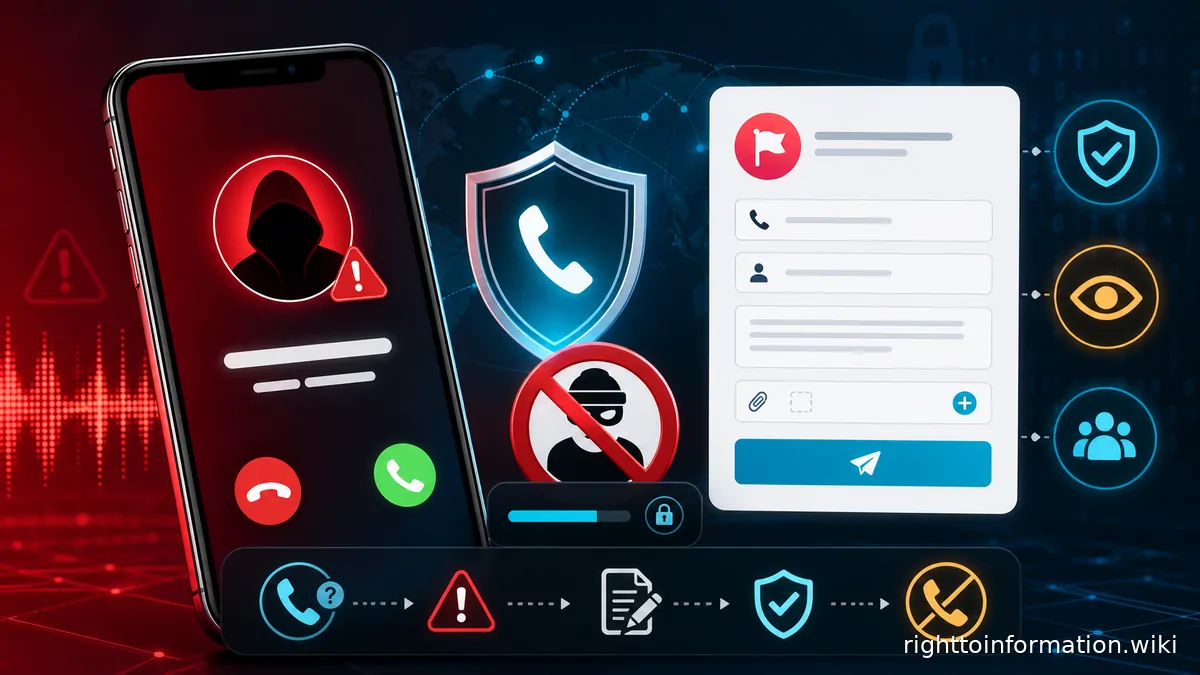
The correct reporting channel depends on what happened. A suspicious call or message with no loss goes to Chakshu; money already lost requires immediate reporting through 1930 and the National Cybercrime Reporting Portal; ordinary unsolicited commercial communication follows the telecom complaint route, including 1909. If the concern is a mobile connection issued under your identity rather than a call you received, that is a TAFCOP problem, not a Chakshu problem.
Quick answer: Report suspected fraud communications received by call, SMS or WhatsApp through Chakshu on the official Sanchar Saathi portal, preferably within its 30-day reporting window. If money has moved, contact your bank/payment provider immediately and report through 1930 and cybercrime.gov.in. Use your telecom provider's 1909 channel for spam or unsolicited commercial communication. Check unknown SIMs in your name on TAFCOP / Sanchar Saathi.
Searches for report scam call India, how to report scam call and Chakshu Sanchar Saathi should produce an official acknowledgement — not a private “cyber cell WhatsApp”.
Choose the right channel — in 50 words
Chakshu is for suspected fraudulent communication before financial loss. The National Cybercrime Reporting Portal and helpline 1930 handle online financial fraud complaints when money is lost. TRAI's unsolicited-commercial-communication process uses the telecom service provider's 1909/app/web channel for spam. One incident may justify more than one correctly scoped report.
Three channels, three jobs
| What happened | Official starting point | What to preserve |
|---|---|---|
| Suspicious fraud call, SMS or WhatsApp; no money lost | Sanchar Saathi Chakshu | Number/sender, date/time, medium, screenshot and short description |
| Money transferred, card/UPI/bank account affected, or online financial fraud | Call 1930, alert bank/payment provider, and file at cybercrime.gov.in | Transaction ID, account/payment details, complaint acknowledgement and communications |
| Spam or unsolicited commercial communication | Telecom provider through 1909, its app or web channel described by TRAI | Sender, date/time, category, message/call details and complaint ID |
| Unknown mobile connection in your name | TAFCOP on Sanchar Saathi | List of SIMs, operator, date noticed, identity documents used at check |
Chakshu's official page says suspicious communication can be reported when received by call, SMS or WhatsApp and asks for reporting within 30 days. It also directs people who have already lost money to 1930 or cybercrime.gov.in. Follow that distinction.
If money moved through a scam call, use 1930 plus the cybercrime portal for the financial trail, and you may still flag the number on Chakshu as suspected fraud communication. They are not substitutes for each other.
If money has moved: act now
- Contact the bank, card issuer, UPI app or payment provider through its official channel. Report the transaction as fraud and request the protective action available for that payment type.
- Call 1930 promptly. Give accurate transaction and account details. Preserve the acknowledgement or reference.
- Complete the complaint at cybercrime.gov.in. Upload a clear chronology and evidence through the official portal.
- Secure the compromised account. Change relevant passwords from a trusted device, revoke access where the service provides it, and contact the mobile operator if the SIM or number is affected.
- Preserve evidence before deleting anything. Keep messages, numbers, profile links, transaction IDs, bank alerts and call times.
- Follow the investigating authority's instructions. A portal acknowledgement is not a guarantee that funds will be frozen or recovered.
Do not send more money as a “recovery fee,” “tax,” “verification deposit” or “unfreeze charge.” Do not call a number supplied by the scammer to cancel the fraud.
What to say when you call 1930
Call 1930 as soon as you realise money has moved. Have the records open. The 1930 line is the cyber financial-fraud reporting channel; it is not a general spam number. A longer script is on the 1930 helpline page.
Have these ready:
- your name and the mobile number you are calling from;
- bank or payment-app name and the affected account / UPI ID (enough for the operator to identify the debit, not your full password);
- transaction ID / UTR, exact amount, date and time;
- payment channel (UPI, IMPS, NEFT, card, wallet);
- the displayed number, UPI ID or account the money went to, if shown;
- whether you already alerted the bank, and that ticket number.
Say, in order: you want to report an online financial fraud; money has already moved; these are the transaction facts; this is the displayed caller or sender. Ask the operator to read back the acknowledgement or reference and to confirm how you will receive it (SMS or portal). Then complete the complaint at cybercrime.gov.in so the written record matches the call. Track that acknowledgement on cybercrime complaint status — do not invent a status label the portal does not show.
If the line is busy, file on the portal and retry 1930; do not wait for a “golden hour” promise copied from an unofficial article. Rapid reporting gives banks and the portal an earlier chance to act. It does not guarantee a freeze or recovery. For the bank-side freeze or lien that sometimes follows, see bank freeze after cyber fraud and online-payment fraud recovery.
How to report a scam call on Chakshu
Open Chakshu only from the official Sanchar Saathi website: sancharsaathi.gov.in/sfc. A related walkthrough is report fraud call or SMS on Chakshu. Classify the communication accurately.
Numbered steps:
- Open the official Chakshu page and choose Report Suspected Fraud (not a lookalike “Sanchar Saathi” app from a search ad).
- Choose the medium: call, SMS or WhatsApp, matching how you actually received it.
- Enter the sender's number or identifier as displayed, the date and time, and the fraud category closest to the approach (bank / wallet / SIM / KYC, impersonation as a government official, courier, sextortion, or another listed type).
- Write a factual description: what was claimed, what was asked (OTP, payment, remote access, KYC), and what you did or did not do. Do not invent a name for an unknown caller.
- Upload a screenshot if the portal permits it. Keep the original file.
- Enter your own mobile, verify with the OTP the official page sends, and submit.
- Save the on-screen confirmation. Chakshu does not replace 1930 after a debit.
The official page asks users to report within 30 days for action. Report even if you are late; the same family of pages notes that older UCC reports can still help pattern analysis. Do not treat a confirmation as a promise that the number will be disconnected on a stated day.
Write what happened, not what you assume about the sender's identity. Phone numbers can be spoofed or misused, so a report should not publicly accuse an innocent subscriber. Let the authorised system correlate the communication.
Examples that fit the suspicious-fraud purpose include impersonation of a bank, government authority, courier, telecom provider, police officer or relative; requests for OTP, PIN, screen sharing or remote access; and demands to transfer funds to “verify” or “protect” an account. Fake customer-care numbers are covered in fake customer-care scams; digital-arrest scripts in the digital-arrest guide; courier OTP plays in courier OTP scams.
If the number is using your identity: TAFCOP
Chakshu reports a call or message you received. TAFCOP reports mobile connections issued in your name.
If a fraudster is using a SIM obtained with your KYC, or you see unknown numbers linked to your identity, check every connection on TAFCOP (Sanchar Saathi). That is the official citizen route to see SIMs registered against your identity and to request action on unknown ones. Related: unknown mobile numbers in your name and SIM-swap / KYC recovery.
Do not send TAFCOP screenshots into a public group. Do not pay an agent to “block the extra SIM”. Use the Sanchar Saathi login, complete the OTP on your Aadhaar-linked mobile, and follow only the official disconnect or request-action options shown there.
Spam and UCC: use 1909 or the provider channel
TRAI's official UCC page says a consumer can complain or report through the telecom service provider using 1909, an app or the web. The submission generally identifies the sender, date and time, category and description. Keep the complaint ID so you can track the provider's action. A longer UCC walkthrough is TRAI DND / spam complaint.
Spam and fraud can overlap, but the routes have different purposes. A promotional message sent without consent belongs in the UCC system. A message impersonating an authority and seeking credentials belongs in Chakshu; if it caused a financial loss, use 1930 and the cybercrime portal too. Sanchar Saathi's Chakshu page also offers a UCC/spam reporting tile; use the official page’s own 30-day note for that tile rather than an old “3-day only” rumour.
| ① Stop | ② Secure | ③ Report | ④ Preserve | ⑤ Track |
|---|---|---|---|---|
| Do not engage or pay | Protect account and SIM | Use correct official channel | Save evidence | Keep acknowledgement IDs |
Evidence checklist
- number, sender ID, profile name and profile URL if visible
- call date, time and duration
- complete SMS/WhatsApp screenshots with timestamps
- exact request—OTP, payment, app installation, link click or document upload
- URL displayed, without reopening it on an unsafe device
- transaction ID, amount, bank/payment provider and timestamp if money moved
- bank alerts and account statement extract for the relevant transaction
- 1930, cybercrime, Chakshu and 1909 acknowledgements
- chronology of calls to official bank/telecom support
Preserve original files. Share them only with the official portal, bank, telecom provider, police or adviser who needs them. Redact unrelated account balances and third-party data from public or general correspondence.
Complaint chronology template
[Date/time] Received call/SMS/WhatsApp from [displayed number/sender].
[Date/time] Sender claimed [exact claim] and requested [exact action].
[Date/time] I [did/did not] share information or make a payment.
[Date/time] Transaction [ID, amount, channel], if any.
[Date/time] Reported to [bank/payment provider] under ref. [number].
[Date/time] Reported through 1930/cybercrime/Chakshu/1909 under ref. [number].
[Date/time] TAFCOP check for SIMs in my name: [done / not applicable], ref. if any.

Evidence attached: screenshots, transaction record, call log and acknowledgements.
Do not invent a name for an unknown caller. Use “displayed number” and describe the impersonated entity separately.
Sample RTI for a stalled cybercrime complaint
RTI can seek the action recorded on a complaint number. It cannot freeze an account, identify a private subscriber for you, or order a refund. Use RTI for cybercrime complaint status and file RTI online where the public authority is available.
To
The Public Information Officer
[Ministry of Home Affairs / the State police cyber unit named on the acknowledgement]

Subject: Information under the RTI Act, 2005 — cybercrime acknowledgement [number]

Sir / Madam,

Under section 6(1) of the RTI Act, 2005, please provide:

1. The current status recorded against acknowledgement / complaint [number] filed on [date] at cybercrime.gov.in / 1930.
2. The date the complaint was forwarded or assigned, and the designation of the unit currently holding it.
3. The action recorded (without disclosing exempt personal data of third parties).
4. Any recorded reason if the complaint is closed or returned.

I enclose the prescribed fee. Please reply within the statutory period.

Name:
Address:
Mobile:
Date:
Do not ask the PIO for “the name and address of the subscriber of number X” as a fishing request; identity records are often exempt or held by another authority, and a public RTI is not a substitute for the investigation.
Law and expectations
The Information Technology Act, 2000 includes section 66C on fraudulent or dishonest use of another person's electronic signature, password or unique identification feature, and section 66D on cheating by personation using a communication device or computer resource. The police and competent authorities determine what offence and evidence apply to an actual case.
A report does not guarantee immediate blocking, arrest, chargeback or recovery. The value of rapid reporting is that banks, payment systems, telecom providers and law-enforcement channels receive the evidence sooner. Give complete facts and keep following the official acknowledgement. Portal filing is covered in how to file a cybercrime complaint.
Common mistakes
- Using Chakshu after money is lost and stopping there. Use 1930, the bank/payment provider and cybercrime.gov.in immediately.
- Calling a sponsored “cybercrime” search result. Type the official portal address or use a saved government link.
- Deleting the chat after blocking. Preserve screenshots and transaction evidence first.
- Publishing the number with accusations. Numbers can be spoofed or recycled; report through authorised channels.
- Paying a recovery agent. No official should ask for an OTP or a transfer to reverse fraud.
- Confusing commercial spam with financial fraud. Use 1909 for UCC and the fraud routes for deceptive communication.
- Skipping TAFCOP when extra SIMs appear in your name. That is a different official tool from Chakshu.
Worked example — illustrative, not a reported case
A caller claims a parcel contains illegal goods and demands a “security transfer.” The recipient shares nothing and ends the call. She screenshots the number and reports the suspected fraud through Chakshu. If she had transferred money, she would first contact her bank, call 1930 and complete the cybercrime complaint instead of relying on Chakshu alone. If she later finds an unknown SIM on her identity, she would use TAFCOP, not another Chakshu report, for that fact.
Frequently asked questions
Where do I report a suspicious call when no money was lost?
Use Chakshu on the official Sanchar Saathi portal for suspected fraudulent communication received by call, SMS or WhatsApp.
How soon should I use Chakshu?
The official Chakshu page asks users to report suspected fraud communication within 30 days. Earlier reporting preserves a clearer record.
What should I do if money was transferred?
Contact the bank/payment provider immediately, call 1930 and file the complaint at cybercrime.gov.in with transaction evidence.
Is 1930 a general spam-reporting number?
No. The official cybercrime portal presents 1930 for online financial fraud. Use the telecom provider's UCC route, including 1909, for spam.
Can I report WhatsApp fraud to Chakshu?
Yes. The official page includes suspicious communication received through WhatsApp, along with calls and SMS.
Should I post the scam number publicly?
Use official reporting channels. Public accusations can expose personal data and may misidentify a spoofed or reassigned number.
Does filing a complaint guarantee recovery?
No. Neither an acknowledgement nor rapid reporting guarantees recovery, but immediate reporting gives the relevant institutions an earlier chance to act.
What if the caller knows my personal details?
End the interaction, secure affected accounts, check official account activity and report the communication. Knowing some data does not make the caller legitimate. Check TAFCOP if you suspect a SIM was issued in your name.
Can I use RTI to find out what happened to my cybercrime complaint?
You can ask the relevant public authority for the status and action recorded against the acknowledgement number. RTI does not itself recover money or disclose exempt third-party identity.