Table of Contents
Apply ABHA Health ID 2026 - citizen guide
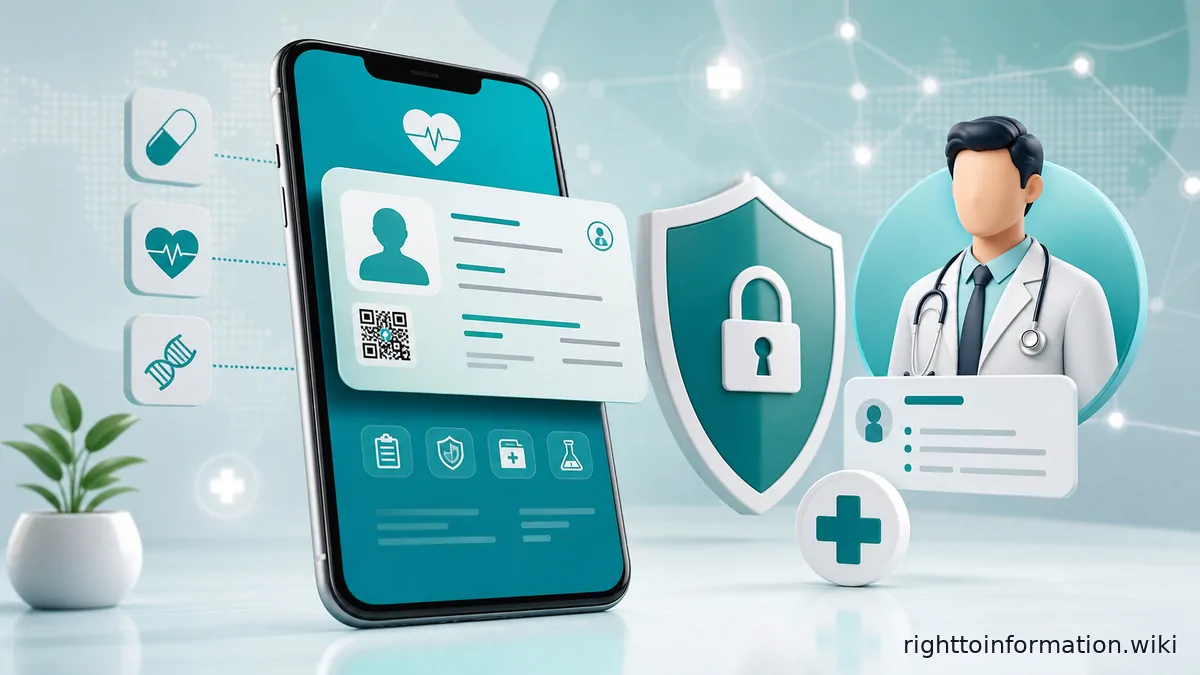
Quick Reply: ABHA (Ayushman Bharat Health Account) is a free 14-digit digital health identity issued by the National Health Authority. Create it online at abha.abdm.gov.in using Aadhaar or a driving licence. It stores and shares your health records with your consent - it is NOT a health insurance card. This is a citizen guidance page, not an official government, regulator, or insurance page.
ABHA and Ayushman PMJAY are two different things
This is the most important fact to understand before you start.
ABHA (Ayushman Bharat Health Account) is a digital health identity - a 14-digit number that links your lab reports, prescriptions, discharge summaries and vaccination records in one place. Any Indian citizen can get one, free of charge. It does not pay for treatment.
Ayushman Bharat PMJAY is a health insurance scheme that covers up to Rs. 5 lakh per family per year for hospitalisation costs - but only for economically weaker sections. Getting an ABHA number does not enrol you in PMJAY.
For the full picture on health scheme eligibility and the Ayushman card, see apply Ayushman Bharat ABHA card 2026.
What you get: ABHA number and ABHA address
When you register you receive two identifiers:
- ABHA number - a unique 14-digit number that identifies you across India's digital health network. It is issued by the National Health Authority under the Ayushman Bharat Digital Mission (ABDM), launched on 27 September 2021.
- ABHA address - a readable username in the format yourname@abdm. You use this to log in to PHR (Personal Health Record) apps and to let hospitals and labs send your records to your account. Think of it as a health email address.
Both are completely free. There are no registration fees, annual charges or hidden costs.
Who can apply
Any resident of India. You do not need to be a PMJAY beneficiary. You do not need a smartphone - you can register at a Common Service Centre (CSC) or at any hospital enrolled with ABDM.
Children can also be registered; a guardian creates the account on their behalf.
What you need before you start
Route A - Aadhaar (fastest, takes about 5 minutes):
- Aadhaar number
- Mobile number currently linked to Aadhaar (needed for OTP)
Route B - Driving licence (if you prefer not to use Aadhaar):
- Valid driving licence number
- Any mobile number (does not need to be linked to the licence)
- Date of birth, gender, address and PIN code as per the licence
Route C - Mobile only (no Aadhaar, no driving licence):
- Mobile number
- Basic personal details (name, date of birth, gender, address)
- This creates an unverified account; you can upgrade to KYC-verified later by linking your Aadhaar or driving licence.
Step-by-step: create ABHA via Aadhaar
- Open abha.abdm.gov.in in a browser or download the ABHA app (package: in.ndhm.phr, published by National Health Authority on Google Play and the App Store).
- Tap or click “Create ABHA Number.”
- Choose “Aadhaar Card” as the verification method.
- Enter your 12-digit Aadhaar number and agree to the terms.
- Enter the OTP sent to your Aadhaar-linked mobile number.
- Your name, date of birth and gender are auto-filled from the UIDAI database. Review and add your communication details (address, PIN, state).
- Create your ABHA address (yourname@abdm). The system suggests one; you can change it.
- Your 14-digit ABHA number is generated immediately. Download or screenshot the ABHA card.
Step-by-step: create ABHA via driving licence
- Go to abha.abdm.gov.in and choose “Create ABHA Number.”
- Select the driving licence option.
- Enter your mobile number and verify with the OTP received.
- Enter your driving licence number, name, date of birth, gender, address, PIN code, district and state.
- Upload a photo of the licence if prompted.
- Create your ABHA address (yourname@abdm).
- Your 14-digit ABHA number is generated on successful verification.
The driving licence route takes slightly longer than Aadhaar because it does not auto-fill personal details from a government database.
Linking your health records
An ABHA number alone is just an identifier. To actually collect and view health records you need to use a PHR (Personal Health Record) app. The official app is the ABHA app (in.ndhm.phr). Third-party PHR apps that are enrolled with ABDM - such as those from ABDM-enrolled hospitals - also work.
Once you log in to a PHR app with your ABHA address:
- Hospitals and labs enrolled with ABDM can send you records (prescriptions, lab reports, discharge summaries) directly.
- You can self-upload scanned physical documents and PDF reports.
- Your CoWIN vaccination certificate can be linked.
- Every time a healthcare provider or app wants to access your records, you receive a consent request. You approve or decline, and you specify the duration and scope of access.
- You can revoke consent at any time.
In March 2026, India's National Medical Commission directed all medical colleges to generate ABHA IDs for patients attending outpatient, inpatient and emergency services - so government medical college hospitals are increasingly ABDM-enrolled.
Documents and records to save
- Screenshot of your ABHA card showing the 14-digit number and ABHA address.
- The registered mobile number - losing access to it locks you out until you complete a recovery process.
- Consent approval notifications from the ABHA app when you share records.
- If you registered via driving licence, keep a copy of the licence details you submitted.
Red flags and privacy cautions
- ABHA registration is voluntary. No hospital, government office or call centre can force you to create an ABHA account as a condition of receiving treatment.
- Never share your OTP with hospital staff, agents or callers. The official portal and app never ask for it verbally.
- A fake or cloned app can harvest your Aadhaar or health data. Download only from abha.abdm.gov.in or the verified Google Play / App Store listing published by National Health Authority.
- Your health records are shared only when you explicitly approve a consent request. If a hospital says it needs your ABHA data without sending a consent request through the app, refuse.
- If you lose your registered mobile number, visit the ABHA portal immediately to update it before someone else uses that number to access your account.
- ABHA does not carry financial value - it is not a wallet and cannot be used to claim insurance without a separate PMJAY or private insurance enrolment.
If something goes wrong
- For portal access issues, use the “Forgot ABHA Number” or “Forgot ABHA Address” recovery flows on abha.abdm.gov.in.
- For complaints about unauthorised sharing of health records, raise a grievance through the ABDM portal or write to the National Health Authority.
- If a public authority (such as a government hospital) is refusing to create or accept your ABHA ID, you can file an RTI request asking for the written policy or circular under which they are operating. See The RTI Playbook for how to frame an RTI request effectively.
- Preserve complaint numbers, dates and every written response.
Frequently asked questions
Is ABHA the same as the Ayushman Bharat insurance card?
No. ABHA is a digital health identity that stores and shares health records. Ayushman Bharat PMJAY is a health insurance scheme covering hospitalisation costs up to Rs. 5 lakh per family per year for eligible families. ABHA does not pay for treatment. See apply Ayushman Bharat ABHA card 2026 for the insurance card.
Can I create an ABHA number without Aadhaar?
Yes. You can use a driving licence or register using only a mobile number with basic demographic details. A mobile-only account is created without full KYC. You can upgrade it to a KYC-verified account later by linking Aadhaar or a driving licence on the ABHA portal.
Is ABHA registration mandatory?
No. ABHA is voluntary for individual citizens. The Ayushman Bharat Digital Mission is opt-in, and no law requires you to create an ABHA account as a condition for receiving healthcare in India. However, from March 2026, the National Medical Commission has directed all medical colleges to generate ABHA IDs for patients attending OPD, IPD and emergency services as part of their enrolment process.
What is an ABHA address and how is it different from the ABHA number?
The ABHA number is a system-generated 14-digit unique identifier (similar to a record number). The ABHA address is a human-readable username you choose, in the format yourname@abdm. You log in to PHR apps using the ABHA address; the 14-digit number is used behind the scenes by hospitals and labs to route records to your account.
Can a hospital share my health records without my permission?
No. ABDM's consent framework requires your explicit digital approval - through the ABHA app or a linked PHR app - before any healthcare provider can access your records. You also control how long the consent is valid and what type of records are shared.
How do I download my ABHA card?
Log in to abha.abdm.gov.in or the ABHA app using your ABHA number or ABHA address and your registered mobile OTP. Your digital ABHA card is visible on the dashboard and can be downloaded as a PDF or image.
Related guides
- Apply Ayushman Bharat ABHA card 2026 - the insurance card and PMJAY enrolment
- Ayushman card download 2026 - download your Ayushman card
- Health insurance schemes India - overview of all major health schemes