Table of Contents
Mobile Number Recycled? Your Old Accounts at Risk
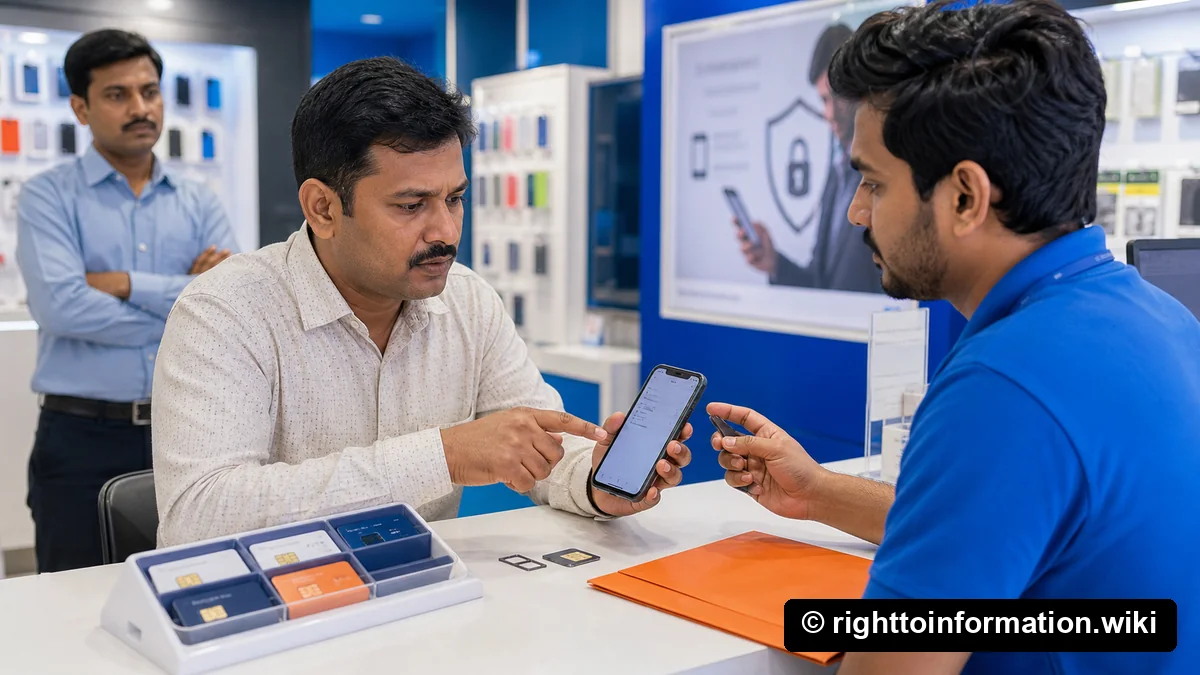
Quick Reply: In India, any mobile number that stays unused or unpaid for roughly 90 days can be deactivated by your telecom operator and, after a short quarantine, reassigned to a new subscriber under TRAI norms. If your old number is still linked to your bank, Aadhaar, UPI, email, DigiLocker, EPFO, income-tax, insurance or demat account, whoever gets it next can receive your OTPs and reset your logins. Open Sanchar Saathi TAFCOP today, list every number registered in your name, then walk through each authority and update the mobile on record before you surrender or lose any SIM.
If you only have five minutes right now, jump straight to the 30-minute action plan and start there.
What number recycling actually is, in 50 words
Mobile number recycling is the regulated process by which Indian telecom operators reclaim a number after prolonged inactivity or non-payment, hold it in quarantine, then reallot it to a new subscriber. The old subscriber loses the number permanently.
Why this article exists
Three facts almost nobody connects until it is too late:
- Indian mobile numbers are a finite resource. The pool gets recycled.
- Almost every digital identity in India is keyed to one mobile number.
- There is no automatic, cross-platform signal that a number has changed hands.
If you have ever surrendered a SIM, stopped paying a postpaid bill, lost a phone abroad, or let an old SIM die in a drawer, this article is for you.
Where the 90-day rule actually comes from
TRAI and DoT have allowed operators to reclaim unused numbers since the early 2000s. The threshold most operators apply today is 90 days of continuous non-usage for prepaid (no outgoing calls, no SMS, no data, no recharge), after which the number is deactivated. A quarantine period follows (15 days to about 6 months) before the number returns to the active pool.
For postpaid, the trigger is non-payment plus disconnection notice. Recycling is the same.
Key point: once the quarantine ends, the new owner has every right to use the number, including for OTPs to banks, government portals and apps. The system is working as designed; the digital stack just did not get the memo.
The OTP hijack chain, what actually goes wrong
If you do nothing, here is the chain a recycled number can unlock for a stranger, in roughly the order it tends to happen.
- Aadhaar OTP login. Many UIDAI services accept the registered mobile to authenticate. If your old number is still in UIDAI records, the new owner can request OTPs for Aadhaar-based KYC.
- Email password reset. Gmail, Outlook and Yahoo allow phone-based recovery. One reset, one new password, and your inbox is gone, along with every “click to reset” email from every other service.
- Bank net-banking and UPI. Net-banking password reset routes through the registered mobile. UPI registration on a fresh handset uses the SIM-binding SMS, which means the new SIM-holder can install Google Pay and link your bank account.
- DigiLocker. Account access is gated on the registered mobile OTP. Recovery of a “forgotten” DigiLocker can be done with the mobile alone in some flows.
- Income-tax e-filing. Forgotten-password reset uses the registered mobile or email. Your PAN data, ITRs and refund bank account are exposed.
- EPFO UAN. UAN password reset and KYC update both rely on the registered mobile.
- Insurance and demat. Policy servicing portals (LIC, private insurers), CDSL/NSDL demat accounts and mutual-fund RTAs all use mobile OTP for sensitive actions like changing the payout bank account.
- Social media. Facebook, Instagram, X and WhatsApp all allow mobile-based recovery, with WhatsApp being the most dangerous because the new SIM-holder simply installs WhatsApp and inherits the number-bound account if you have not enabled two-step verification.
The mobile number is the master key to your Indian digital life. Recycling it without rotating the locks is the risk.
The 30-minute action plan
If you have a dormant number, or suspect a SIM in your name has lapsed, work through this in order. Most people finish in half an hour.
- Minute 0 to 3. Open Sanchar Saathi at https://sancharsaathi.gov.in/, log in with your current active mobile, open the TAFCOP module, and pull the list of every mobile number registered against your name and PoI document. Screenshot it. Use the TAFCOP SIM-inventory walkthrough if you need the exact reporting and status steps.
- Minute 3 to 5. For every number on the list you do not recognise or do not want, request disconnection through TAFCOP itself. This is a one-click action.
- Minute 5 to 8. For every number you still want to keep but is not in your hand right now, recharge it today, even with a token amount, to reset the 90-day clock.
- Minute 8 to 12. Open UIDAI at https://uidai.gov.in/ and start the update mobile in Aadhaar flow. You will need to visit an enrolment centre to physically change the mobile, but begin the appointment booking now.
- Minute 12 to 16. Log in to your bank net-banking for each bank account you hold. Under profile, update the registered mobile and registered email to the number and email you actually control today.
- Minute 16 to 20. Open the UPI app you use (Google Pay, PhonePe, Paytm, BHIM). Remove any UPI ID that is bound to a SIM you no longer have. Re-register using your current SIM.
- Minute 20 to 23. Log in to Income-tax e-filing at https://www.incometax.gov.in/ and update primary mobile and email.
- Minute 23 to 26. Log in to EPFO UAN portal at https://unifiedportal-mem.epfindia.gov.in/ and update mobile.
- Minute 26 to 28. Open DigiLocker at https://www.digilocker.gov.in/, go to profile, change mobile.
- Minute 28 to 30. For each social account (Gmail, Facebook, Instagram, X, WhatsApp, Microsoft, Apple), enable two-factor authentication using an authenticator app, not SMS.
You may not finish in 30 minutes, but the triage closes the OTP gate on highest-risk accounts first.
The full delink checklist
Now slow down. Open a spreadsheet, list every account, current mobile on record, and date confirmed. Treat it like a yearly tax exercise.
Banks
- Savings and current accounts. Update via net-banking, the mobile app, or a branch visit if the bank insists on physical KYC. Some banks (especially older PSU branches) still want a signed mobile-update form.
- Credit cards. A separate update, even if the card is from the same bank. The card-issuing arm often runs on a different customer-management system.
- Loans. Home loan, car loan, personal loan, education loan, gold loan. Each loan account has its own contact record.
- Fixed deposits. If the FD is held in the same customer ID as your savings account, the update flows through. If you opened an FD at a different bank or as a third-party deposit, update it separately.
- Lockers. The locker rental relationship is separate from the savings account.
Aadhaar and PAN
- Aadhaar. Mobile update must be done in person at an Aadhaar Seva Kendra or authorised enrolment centre. Carry your existing Aadhaar and a fee of around ₹50. Do not trust any third-party website that claims to update the mobile online, the fake Aadhaar update website scams are still active.
- PAN. Update via the Income-tax portal or via the PAN service providers (Protean / UTIITSL). If the mismatch on your PAN is wider than just the mobile, see the upcoming PAN-Aadhaar name mismatch fix guide.
Email and Google identity
- Gmail. Account settings, security, phone numbers. Remove the old number, add the new one, set up an authenticator-app second factor.
- Microsoft account. Outlook and OneDrive accounts have a single phone field under security. Same drill.
- Apple ID. Settings, name, contact info. If the Apple ID has been the trusted phone for iCloud, removing it before adding the new number can lock you out, add the new one first.
UPI and payment apps
- UPI handle. Removing a UPI ID from one app does not delete it from NPCI. Open every payment app you have ever installed and check. If you cannot install the old app because the SIM is gone, raise a request with NPCI at https://www.npci.org.in/ to delink the UPI ID from the lost number.
- Wallets. Paytm, PhonePe wallet, Amazon Pay, MobiKwik. Each one separately.
- Merchant apps with stored cards. Swiggy, Zomato, IRCTC, Amazon, Flipkart. These do not need a mobile update for OTP, but they may have your old number for delivery contact.
Government portals
- DigiLocker. Profile, mobile number. See also what DigiLocker actually accepts as proof for the difference between issued and uploaded documents.
- Income-tax e-filing. Profile, primary mobile and primary email.
- GSTN. If you are a registered taxpayer, update the authorised signatory mobile.
- EPFO UAN. Member portal, profile, change mobile.
- ESIC. Employee portal, contact details.
- State e-district portals. Ration card, caste certificate, domicile, residence. Each state has its own login.
- Driving licence and vehicle registration (Parivahan). Profile section on https://parivahan.gov.in/.
- Passport Seva. Existing applicant profile, contact details.
- Voter ID (Voter Helpline app or NVSP). Mobile is used for form 8 corrections.
- UMANG. See UMANG app for citizen services for the list of ministries plugged into the one login.
Insurance
- Life insurance. LIC and private insurers. Use the policy-servicing portal or the IRDAI Bima Bharosa portal to confirm the registered mobile across all policies.
- Health insurance. Update with the insurer and, if you have an ABHA, with the Ayushman Bharat health account.
- Vehicle insurance. Each policy contract carries its own contact record.
Investments
- Demat accounts. CDSL or NSDL, through your broker. Mobile and email here also drive the consolidated account statement.
- Mutual funds. Through the RTA (CAMS, KFintech) using the Mailback / OTM Update flows. One request updates all folios serviced by that RTA.
- NPS. CRA portal (Protean, KFintech).
- PPF and Sukanya Samriddhi. The bank or post office holding the account.
Other
- DTH and broadband. Tata Play, Airtel Xstream, Jio Fiber. These tend to text you discount offers but a recycled number can also be used to “verify” a service-cancellation request.
- Society or RWA app. MyGate, NoBrokerHood. Important for visitor OTPs.
- Children's school portal. Fee notices and report cards.
Evidence checklist
If you are doing this because something has already gone wrong (you tried to log in and the OTP went somewhere else), or because you have inherited the SIM and accounts of a deceased family member, build an evidence folder before you touch anything else.
- TAFCOP screenshot of all numbers in your name, with date.
- SMS / WhatsApp history showing the last time the number was used.
- Last recharge or bill from the telecom operator.
- Bank statement showing OTPs received and any disputed transactions.
- A signed self-declaration stating the dates the number was active in your name. Sign on plain paper, scan as PDF.
- Copy of ID proof (Aadhaar masked, PAN, passport).
- Police complaint if there has been any unauthorised transaction (see below).
Put all of this in one folder named YYYY-MM-DD-recycled-number-evidence. You will refer to it many times over the next few weeks.
Official complaint routes
There is no single “I lost my number” desk. You will use three official channels in parallel.
- TAFCOP and Sanchar Saathi. This is the only place where a citizen can directly see and disable mobile numbers in their name. Run by DoT. Use https://sancharsaathi.gov.in/.
- TRAI consumer complaint. If your telecom operator refuses to confirm whether a number was recycled, or refuses to give you the deactivation date in writing, escalate to TRAI through https://www.trai.gov.in/ and the operator's appellate authority. For a step-by-step, see the existing guide on filing a TRAI telecom complaint.
- NPCI dispute. For any UPI or AePS-linked loss, file with NPCI at https://www.npci.org.in/what-we-do/upi/dispute-redressal-mechanism.
If you have already lost money, also dial 1930 immediately. The full script is in the 1930 cyber fraud helpline guide.
When the police and 1930 actually have to be involved
Most readers are doing preventive cleanup with no money lost - police not required.
You must involve them in these situations:
- Any unauthorised debit from your bank or UPI account, however small.
- Any loan, credit card, or BNPL liability raised in your name that you did not create.
- Any KYC or impersonation, including someone using your old number to open a new account on a platform you never joined.
- Any blackmail, harassment or sextortion using messages received on a number once linked to you.
- Any indication that your Aadhaar or PAN has been used to onboard onto a service you did not consent to.
For financial losses, dial 1930 in the golden hour and follow up at https://cybercrime.gov.in/. For non-financial offences, file an FIR at the local police station or online cyber cell. Cite the Bharatiya Nyaya Sanhita (BNS), 2023 (cheating, forgery, identity theft) and the Bharatiya Nagarik Suraksha Sanhita (BNSS), 2023 for procedure. IT Act §§66C (identity theft) and 66D (impersonation) continue to apply.
If your bank refuses to freeze, see the bank freeze process after cyber fraud page for the escalation ladder.
Sample request letters
Below are nine sample bodies. Adapt the bracketed fields. Send by registered post or upload through the institution's grievance portal. Always include a self-attested ID proof and your evidence folder.
Sample 1: Telecom operator, confirm deactivation date in writing
To,
The Nodal Officer
[Operator name, circle]

Subject: Request for written confirmation of deactivation and recycling status of mobile number [XXXXXXXXXX]

Sir / Madam,

I, the undersigned, was the registered subscriber of mobile number [XXXXXXXXXX] from approximately [start date] to [end date]. The connection was a [prepaid / postpaid] service in my name, with PoI document [Aadhaar / passport / DL] number [XXXX masked XXXX].

I have reason to believe the number is no longer active in my name. Under the Telecom Consumers Protection Regulations and the operator's published terms, I request:

  1. Written confirmation of the exact date on which my connection was deactivated.
  2. Written confirmation of whether the number is still in quarantine or has been reassigned.
  3. A copy of the closure log entry.

This information is required to update my linked Aadhaar, bank and government records and to protect against impersonation.

Please respond within 15 working days as per the Telecom Consumers Complaint Redressal Regulations.

Yours faithfully,
[Name]
[Address]
[Date]
[Current contact number]
[Email]
Sample 2: Bank, update registered mobile (no longer in possession of old SIM)
To,
The Branch Manager
[Bank name and branch]

Subject: Request to update registered mobile number against account [last 4 digits]

Sir / Madam,

I hold savings / current account number ending [XXXX] in your branch. The mobile number currently registered against this account is [OLD number]. I no longer possess this SIM, it has been deactivated by my telecom operator and is no longer in my control.

I request you to:
  1. Update my registered mobile to [NEW number], enclosed PoI and PoA.
  2. Disable any standing UPI mandates or net-banking sessions tied to the old number.
  3. Re-issue net-banking credentials with the new mobile as the OTP destination.

Enclosed:
  - Self-attested Aadhaar and PAN
  - Mobile-update form (Annexure as per bank format)
  - TAFCOP screenshot showing the old number is no longer in my name

Yours faithfully,
[Name]
[CIF / customer ID]
[Date]
Sample 3: UIDAI, request to update Aadhaar mobile
This is initiated at an enrolment centre, not by post. Use the standard Aadhaar Update / Correction Form. Tick the mobile field. Carry your existing Aadhaar and the fee. For the procedural details and pitfalls, the dedicated UIDAI workflow on this wiki covers the steps.
Sample 4: NPCI, delink UPI ID from a lost SIM
To,
The Grievance Officer
NPCI

Subject: Request to delink UPI ID [vpa@bank] from deactivated mobile [XXXXXXXXXX]

Sir / Madam,

I had registered the UPI ID [vpa@bank] using mobile number [XXXXXXXXXX]. This SIM has been deactivated by my telecom operator on or about [date]. I no longer have access to this number.

I request NPCI to delink and deregister the UPI ID from this mobile number and remove any associated bank-account mapping, so that no further UPI registration can be initiated from a SIM that may be reissued.

Enclosed:
  - Bank statement showing the linked account
  - TAFCOP printout
  - Self-attested Aadhaar and PAN

Yours faithfully,
[Name]
Sample 5: Income-tax e-filing, update primary mobile
To,
The Assessing Officer / Designated Authority
Income-tax Department

Subject: Request to update primary mobile and email on e-filing profile, PAN [XXXXX1234X]

Sir / Madam,

I am a registered e-filing user under PAN [XXXXX1234X]. The mobile number currently linked to my profile is [OLD number], which is no longer active. I have attempted to update through the portal, however the OTP cannot be received on the old SIM.

Please facilitate updation of my primary mobile to [NEW number] and primary email to [new email] in the e-filing portal records.

Enclosed:
  - Self-attested PAN and Aadhaar
  - TAFCOP printout
  - Latest filed ITR acknowledgement

Yours faithfully,
[Name]
[PAN]
[Date]
Sample 6: EPFO, update mobile on UAN
To,
The Regional Provident Fund Commissioner
[EPFO regional office]

Subject: Request to update mobile number on UAN [XXXXXXXXXXXX]

Sir / Madam,

The mobile number registered against my UAN [XXXXXXXXXXXX] is [OLD number]. I no longer hold this SIM. Please update my mobile to [NEW number] in EPFO records so that I can complete KYC, raise advances, and view passbook updates.

Enclosed:
  - Self-attested UAN card
  - PAN, Aadhaar
  - TAFCOP printout

Yours faithfully,
[Name]
Sample 7: Insurance company, update contact number
To,
The Policy Servicing Officer
[Insurer name]

Subject: Update of registered mobile and email across policy(ies) [policy number(s)]

Sir / Madam,

I hold the following policies issued by you. The registered mobile is [OLD], no longer active.
  - Policy 1: [number, type, sum assured]
  - Policy 2: [number, type, sum assured]

Please update my registered mobile to [NEW] and registered email to [new email] across all policies in my name. Kindly issue a confirmation endorsement.

Enclosed:
  - Self-attested PAN, Aadhaar
  - Policy schedule(s)

Yours faithfully,
[Name]
Sample 8: Depository participant / broker, update mobile on demat
To,
The Compliance Officer
[Broker / DP name]

Subject: Update of registered mobile on demat account [DP ID + Client ID]

Sir / Madam,

I hold demat account [DP ID-Client ID] with you. Registered mobile [OLD] is no longer in service. Please update to [NEW] and also reflect the change in CDSL / NSDL records and in the linked mutual fund folios serviced by [RTA].

Enclosed:
  - Mobile update form (as per broker format)
  - Self-attested PAN, Aadhaar
  - Latest holding statement

Yours faithfully,
[Name]
Sample 9: DigiLocker, recover access where mobile is no longer reachable
To,
The DigiLocker Support Team
National e-Governance Division

Subject: Recovery of DigiLocker account [registered name / partial Aadhaar]

Sir / Madam,

I am a registered DigiLocker user. The mobile number on file [OLD] is no longer in my possession. I am unable to receive OTPs to log in or to change the number through the in-app flow. Please facilitate account recovery so that I can update the registered mobile to [NEW].

Enclosed:
  - Self-attested Aadhaar (masked) and PAN
  - Last known DigiLocker email
  - Any prior DigiLocker activity reference

Yours faithfully,
[Name]
A small real-life cautionary tale
R., Pune. Retired teacher, surrendered an old postpaid number in 2022. Kept paying LIC premium by auto-debit. Late 2025: tried to log in to LIC's portal for a tax certificate. OTP never arrived - mobile on record was different. Two policy-loan applications had been initiated against her policies in 18 months, both stopped at underwriting because the bank account did not match. Someone had used the recycled number to impersonate her. Took four months, two registered letters, a BNS cyber-cell complaint and an affidavit to lock the policies and update mobile everywhere. Cost: ~Rs 600 in postage plus one notarised affidavit.
The system silently kept R's old number on file for over three years across multiple authorities. None flagged it.
Common mistakes citizens make
- Treating the SIM-card status as the same as the digital-account status. The SIM might be dead in your wallet. The accounts linked to that number are still very much alive.
- Updating only the most-used apps. People remember WhatsApp and Gmail. They forget the demat account they opened during the 2020 IPO rush.
- Believing operator promises that a number is “permanently” deactivated. Permanent here means until the operator decides to recycle it. Demand the date in writing.
- Sharing the OTP “one last time” with a relative. If you handed your old SIM to a cousin, every OTP that lands on it is now in their hand, not yours.
- Ignoring TAFCOP because the website looks bureaucratic. Sanchar Saathi is the single most useful 30-second screen in the Indian digital citizen toolkit.
- Updating mobile but not the registered email. Many account-recovery flows accept either, so if you only fix one, the other is still a recovery path for whoever inherits the number.
If you are doing this for a deceased family member
Many recycled-number disputes start here. A parent passes away, the SIM falls silent, three months later the operator recycles it. The parent's accounts in CAMS, banks, insurers remain active for years.
The right sequence:
- Death certificate copies (15 or more, attested).
- Sanchar Saathi check of all numbers in the deceased's name, surrender each through TAFCOP after the family has noted them down for later evidence.
- Bank transmission / nomination claim. This will trigger the bank's own deactivation of the old mobile on the account, and a fresh mobile (yours) gets added when you become the successor.
- Insurance death-claim filings. Same effect.
- Demat / MF transmission through CDSL/NSDL/CAMS. The transmission form replaces all contact details with the claimant's.
- Aadhaar deactivation through UIDAI for the deceased, separately, to prevent any KYC reuse.
Sleep better when no recycled number is connected to your parent's identity.
Bringing it back to RTI
If a public authority (PSU bank, government insurance company, EPFO, income-tax) refuses to confirm in writing when the registered mobile was changed, or who accessed your account, you have a clean RTI path.
A short RTI under §6(1) of the RTI Act, 2005, to the PIO, asking for:
- The date the registered mobile on my account / file / UAN was changed.
- The reference of the change request.
- Any login or access logs against my account between [old date] and [new date].
- A copy of the policy under which mobile updates are processed.
is enough to break most stonewalls. Cite §7(1) (30-day clock) and §19(1) (first appeal). New to RTI? See the citizen RTI playbook.
Helpful related reads on RTI Wiki
Frequently asked questions
After how many days is my mobile number actually recycled?
The widely applied threshold across Indian operators is 90 days of total non-usage for prepaid lines (no outgoing call, no SMS, no data, no recharge). After that the number is deactivated. A quarantine period follows, anywhere from a few weeks to a few months depending on the operator and the circle, before the number returns to the active pool. For postpaid lines, the trigger is non-payment and operator-initiated disconnection. The safer planning rule is: assume 90 days, no more.
Can a stranger really use my old number to open a bank account?
Not on its own. But the old number combined with a leaked Aadhaar or PAN, both of which are widely available in data dumps, is often enough to satisfy the OTP step in onboarding flows. A bank's KYC requires more, including a video KYC or in-person verification. The danger is not bank account opening, the danger is that the OTP step on existing accounts (yours) can be passed.
Is recharging an old SIM with ₹10 a real solution?
It buys you another 90 days. It is a stop-gap, not a fix. Use the breathing room to update every account away from that number, then surrender the SIM cleanly through TAFCOP.
I cannot remember which accounts are tied to my old number. What do I do?
Three sweeps will catch most of them. First, search your email inbox for the last 5 years for the phrase “registered mobile” and for OTP-style SMS forwards. Second, log in to every banking and government app you use and read out the registered mobile from the profile page. Third, run a credit report from a CIBIL or Experian, the mobile and address on each tradeline are listed. Cross-reference and update.
What about WhatsApp?
WhatsApp is bound to the SIM. If the new SIM-holder installs WhatsApp on the recycled number, they will inherit it, unless you had enabled the two-step verification PIN. Always set that PIN. Always.
Do I need to file an FIR even if no money has been lost?
No. If your action is preventive and you find no unauthorised transactions, you do not need an FIR. Keep the TAFCOP printout and the response letters from each authority as your evidence pack. Open the FIR only if there is a confirmed loss, an impersonation attempt, or a refusal by an institution to honour your written request.
Is there an RTI I can file to find out who got my old number?
The telecom operator is a private body and not directly covered by the RTI Act. However, TRAI, DoT and Sanchar Saathi (under DoT) are covered. You can ask DoT under §6(1) for the policy governing recycling and quarantine periods, and for any complaint data on misuse of recycled numbers. You cannot ask for the new subscriber's identity, that is personal data of a third party and exempt under §8(1)(j).
Will updating my Aadhaar mobile alone fix everything?
No. Aadhaar is the master, but only services that re-fetch your Aadhaar profile (some KYC flows) will inherit the change. Most institutions store the mobile separately in their own database. Each one has to be updated by hand.
Can I update the mobile on someone else's behalf (an elderly parent, an absent spouse)?
For most institutions, yes, with a signed authorisation letter, the account-holder's ID, and your ID. For Aadhaar, no, the account-holder must visit the enrolment centre in person, biometrics are required.
What if my number has already been reassigned and someone is actively misusing it?
Then this stops being a cleanup project and becomes an incident. Dial 1930 for any money loss in the last 72 hours. File on https://cybercrime.gov.in/. Send the telecom operator and the affected institutions a written notice the same day. Lodge an FIR citing the relevant BNS sections on cheating, forgery and impersonation, and IT Act sections 66C and 66D. Freeze your demat, lock your CIBIL, disable UPI on every app.
Sources and authoritative references
- TRAI, regulations and consumer protection rules, https://www.trai.gov.in/
- Department of Telecommunications (DoT), https://dot.gov.in/
- Sanchar Saathi portal, TAFCOP module, https://sancharsaathi.gov.in/
- UIDAI, Aadhaar mobile update, https://uidai.gov.in/
- EPFO UAN portal, https://unifiedportal-mem.epfindia.gov.in/
- Income-tax e-filing, https://www.incometax.gov.in/
- GST portal, https://www.gst.gov.in/
- NPCI, UPI dispute redressal, https://www.npci.org.in/
- RBI, Master Direction on KYC, 2016 (as amended), https://www.rbi.org.in/
- DigiLocker, https://www.digilocker.gov.in/
- National Cybercrime Reporting Portal, https://cybercrime.gov.in/
- IRDAI Bima Bharosa, https://bimabharosa.irdai.gov.in/
Bottom line
A mobile number in India is a master key. Stop paying or using, and the key gets handed to the next person. The cleanest defence is the 30-minute action plan above, plus a yearly TAFCOP audit. Treat it like a tax-return habit.